TS790+ & TS900+ Installation Manual System Installation
13
Installing an XNode
1. Separate the cover and base by using a
screwdriver to push 2 of the clips (left or right)
inward from the base indents, then lift the
cover clear.
2. If the XNode is being fitted inside the control
panel you may remove the XNode PCB from
its base and secure it to the base of the
control panel using self adhesive feet. If
required, the tamper switch can be disabled
by fitting the jumper link across JP5, see
Figure 11.
3. If the XNode is being fitted outside the
control panel, hold the base in position and
mark the four securing holes. Drill and plug
the wall as required, then pass all cables into
the base via the cable entry points as
appropriate. Secure the base to the wall
using the appropriate fixing screws.
4. Connect the network data cables to the
appropriate terminals.
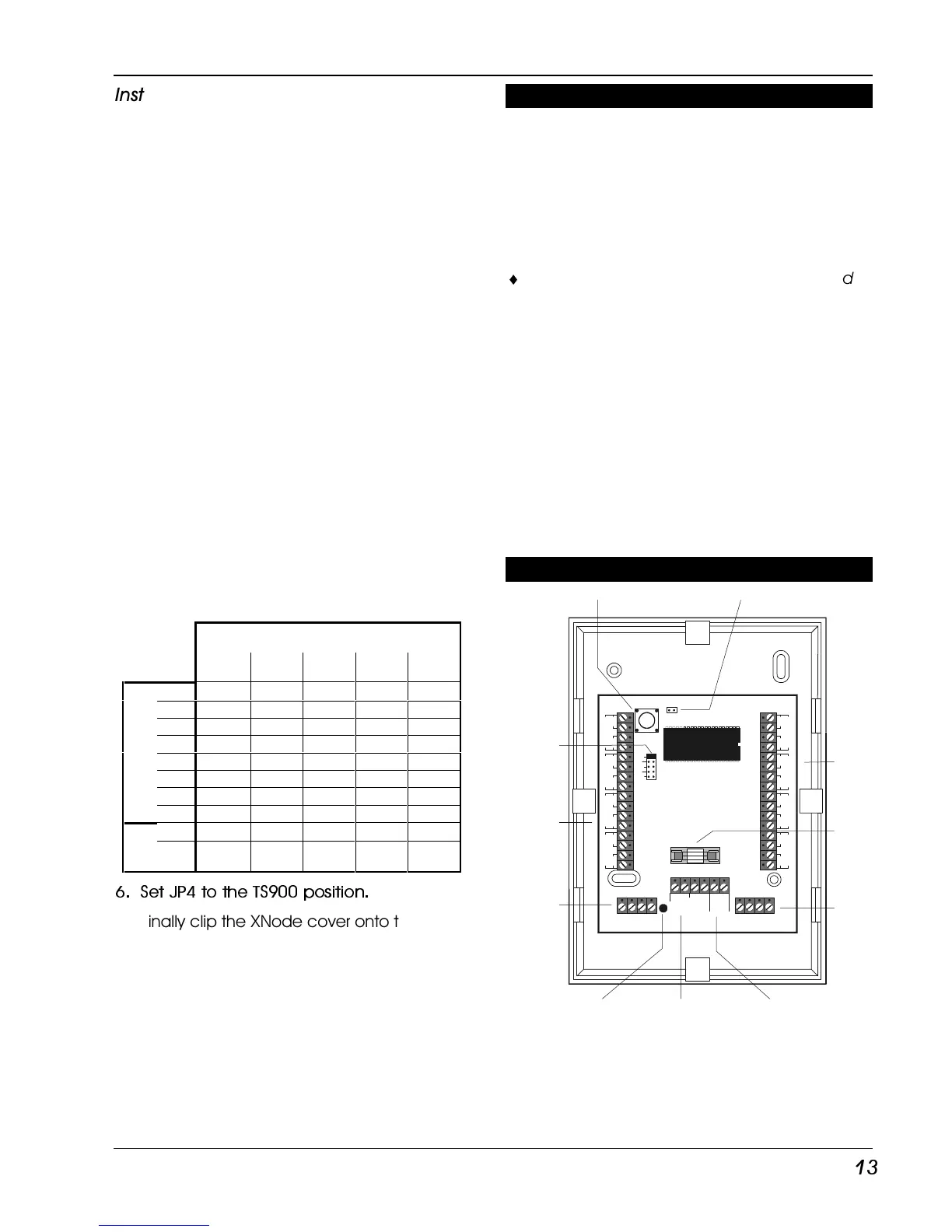
5. Set the I/D selector jumper link to the
required position, see the table below,
ensuring no two XNodes have the same I/D.
XNode I/D
1 2 3 4 5
A 17 25 33 41 49
B 18 26 34 42 50
C 19 27 35 43 51
D 20 28 36 44 52
E 21 29 37 45 53
F 22 30 38 46 54
G 23 31 39 47 55
C
I
R
C
U
I
T
S
H 24 32 40 48 56
OPs +A 1 3 5 7 9
-B 2 4 6 8 0
6. Set JP4 to the TS900 position.
7. Finally clip the XNode cover onto the base
being careful not to trap any cables or to
obstruct the tamper switch.
TS900 Node Installation (TS900+ Only)
The TS900 Node is now obsolete, and has been
replaced by the TSXNode. The TS900 Node
allowed you to add an extra eight
programmable detection circuits and two
programmable outputs. The Nodes are
connected on the “Node Network” and up to
five may be connected to the TS900+ system.
¨
Always ensure that all power (mains and
battery) is removed before making any
connections to the Node.
Figure 12 shows the connections for the “Node
Network” cables and detection circuit cables.
Set the I/D selector jumper link to the required
position. The Node ID table shown for the
XNode shows the positions for the jumper.
No two NODES should have the same I/D.
The NODE I/D selector DOES NOT have to be set
sequentially but it is advisable so as to aid fault
finding and programming.
TS900 Node Layout (Obsolete)



 To Next Page