CL-Profiler operating instructions page 13 of 15
www.cl-profiler.com
a – How to use
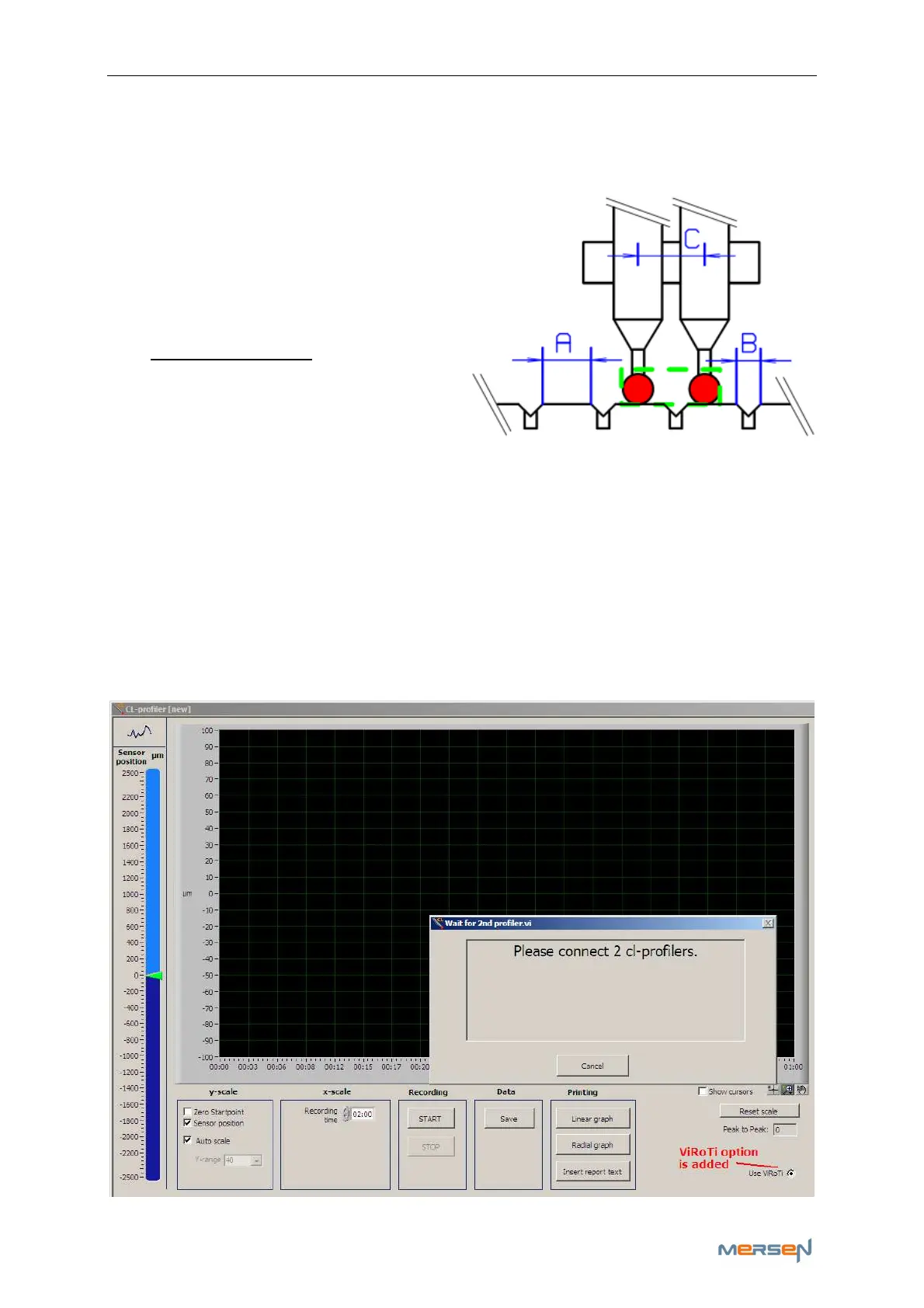
Place the probes radial, with an ax-
ial distance “C”, on your slip ring or
your collector.
To start the profiling both probes
must be located on your measure
part of the slip ring or collector,
and not in the groove.
Distance “C” depends on the wide
of the measure part (A) and the
groove (B). The probe distance “C”
can be calculated using the ViRoTi calculator in the “Settings menu”.
See chapter (IV,2) c - ViRoTi
Connect only the registered probe on your PC and start the CL-
profiler software.
Activate the ViRoTi tool by winking the box ‘Activate ViRoTi’ in the “Set-
tings”. A ViRoTi activation option will now be added in your measurement
window. If you activate the ViRoTi tool in your measure window, the soft-
ware will ask you to connect the second probe on your PC.



 To Next Page