CL-Profiler operating instructions page 6 of 15
www.cl-profiler.com
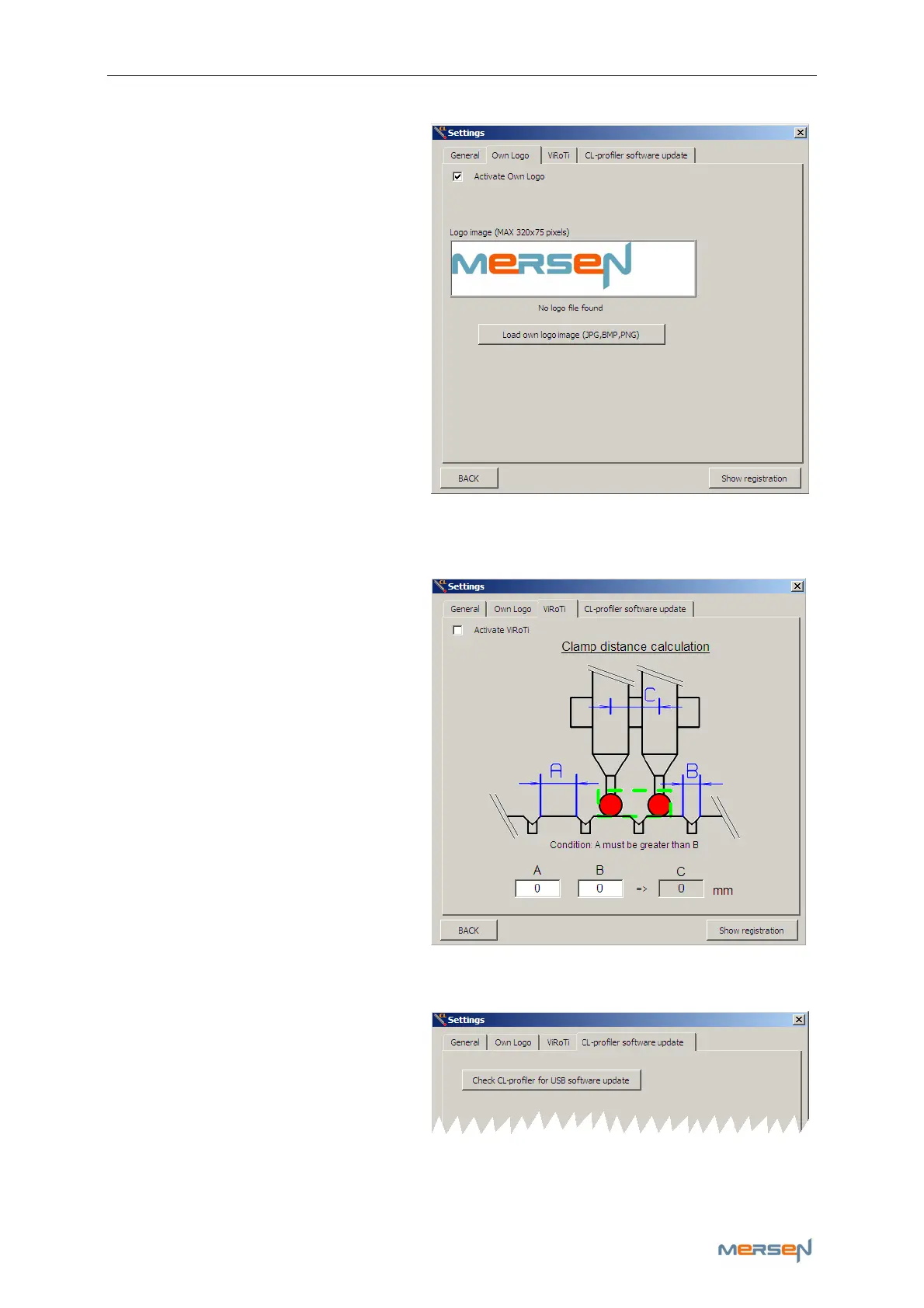
b - Own logo
Click the tab: ‘Own Logo’.
In here you have the possibility
to personalize the software with
your own logo.
This logo appears on the main
menu and the reports.
Wink the box ‘Activate Own
Logo’
You can load your logo by click-
ing the ‘Load own logo image
(JPG,BMP,PNG)- button’ and
browsing for your image.
Make sure the image of your
logo does not exceed the measurements: 320x75 pixels, in order to get a
complete view of your image.
c – ViRoTi
ViRoTi stands for Virtual Roller
Tip and is used to profile
grooved slip rings and commu-
tators. (Please check Chapter 7
on p.12 for more info)
To use the ViRoTi tool, wink ‘Ac-
tivate ViRoTi’.
In field A (the measure part) &
B (the wide of the groove in-
cluding the chamfer) you can fill
in the distances to let the soft-
ware calculate the necessary
distance for your clamp (C).
d – CL-profiler software update
To update the software of your
probe(s) , click the ‘Check CL-
profiler for USB software up-
date’. If necessary the probe
will then automatically update.
ATTENTION: do not disconnect the probe during updating, this could
cause irreversible damage to the software remaining in a limbo state.



 To Next Page