CL-Profiler operating instructions page 5 of 15
www.cl-profiler.com
IV) Software use
To start the CL-Profiler software, click on the Windows start menu, go to
“Programs” and select “CL-
Profiler”. If installed, You can also use the
shortcut on the desktop.
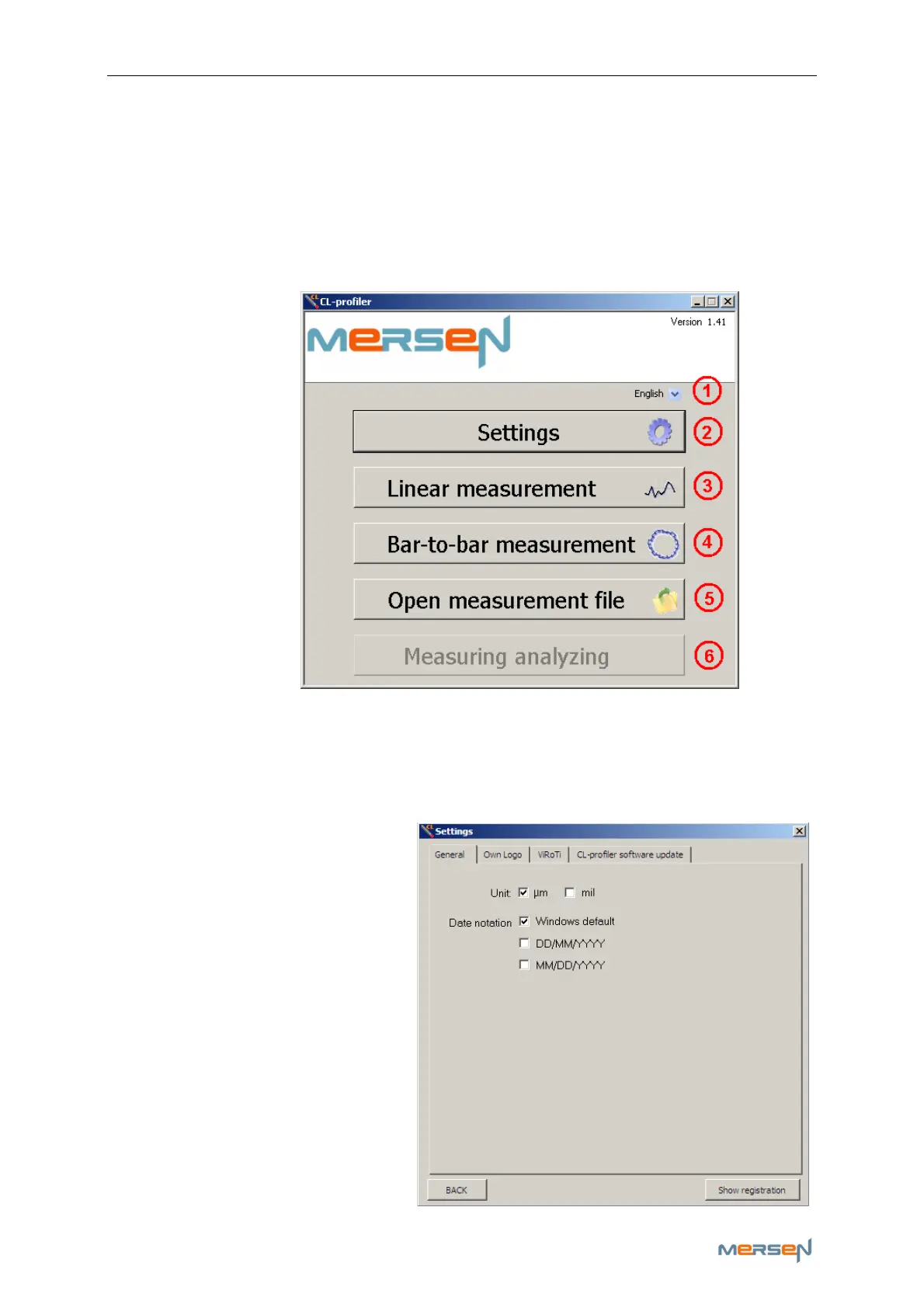
The main screen looks as follows:
1) Language selection
First select your language via menu (1). If your language is not listed,
contact Mersen France Amiens to check if it can be made available.
2) Settings
Click on button (2) to open the
settings screen, a new window
pops up:
a - General
Adjust the various settings to
your preferences. Click on the
“BACK” button to close the
window.
Click on “Show registration” to
confirm who’s name the soft-
ware is registered to.



 To Next Page