CL-Profiler operating instructions page 4 of 15
www.cl-profiler.com
III) Registration
To start the CL-
Profiler software, click on the Windows start menu, go to
“programs” and select “CL-
Profiler”. You can also use a shortcut on the
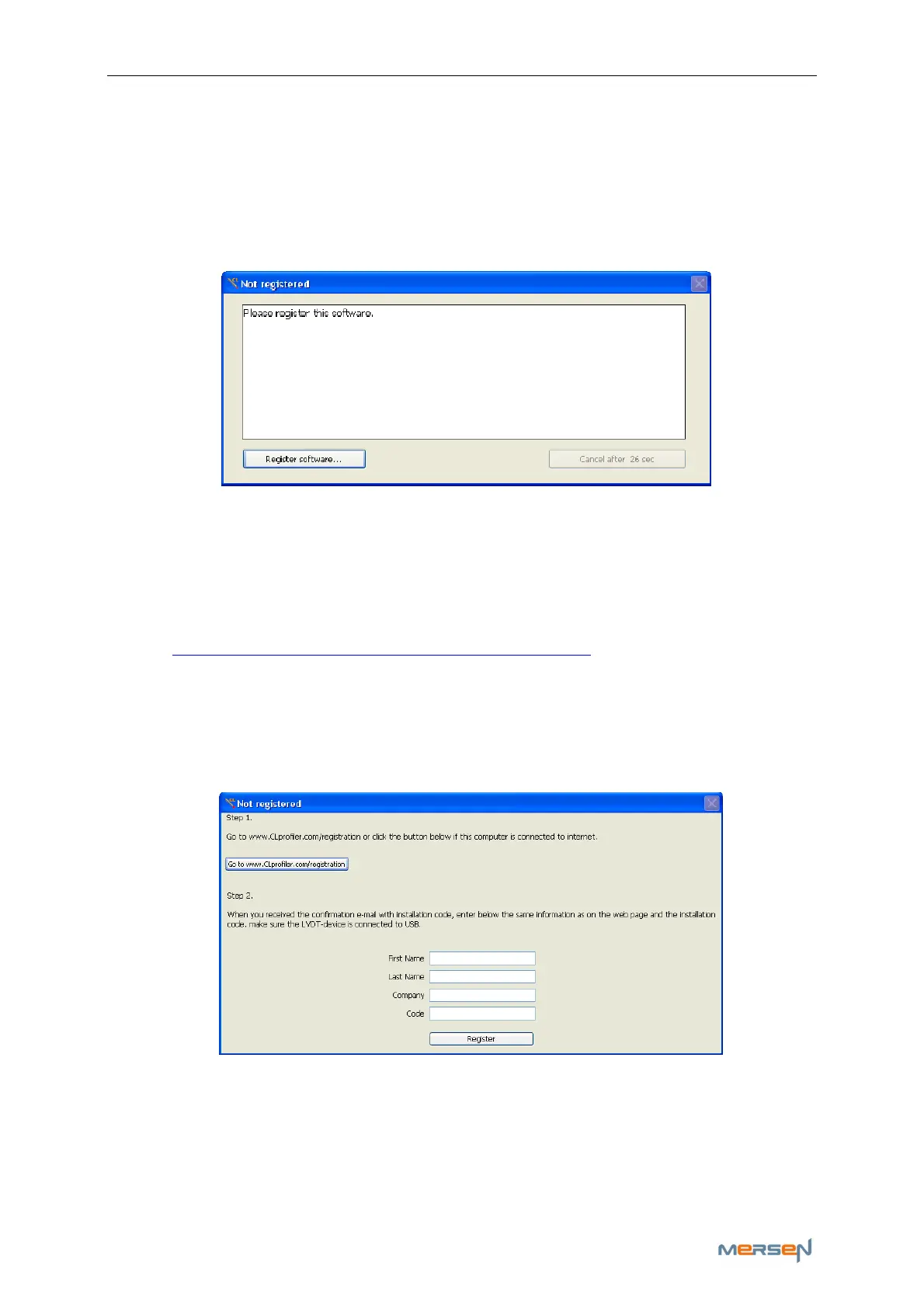
desktop. If the software is unregistered a pop-up will appear for registra-
tion:
For registration, one needs to have access to the internet to obtain an in-
stallation code, this can be done on any computer. If you are unable to
register at this time, you can click on the button “cancel after xx sec” at
the moment that it changes to “Register later”.
To obtain an installation code, click on the button “Register software” and
go to: http://www.cl-profiler.com/registration.aspx
Enter all your information on the web page. The registration site will send
the installation code to your e-mail address.
Once you receive the installation code by e-mail, click on the button “Reg-
ister software…”, a new window will appear:
Enter all your personal information, exact the same as on the web page,
and make sure the CL-
Profiler is connected to the computer. Now click on
“Register”.
Note: the registration is based on your personal information and the CL-
Profiler serial number.
When connecting a different CL-
Profiler, registration must be done again.



 To Next Page