16
SOFTWARE AND CONFIGURATION
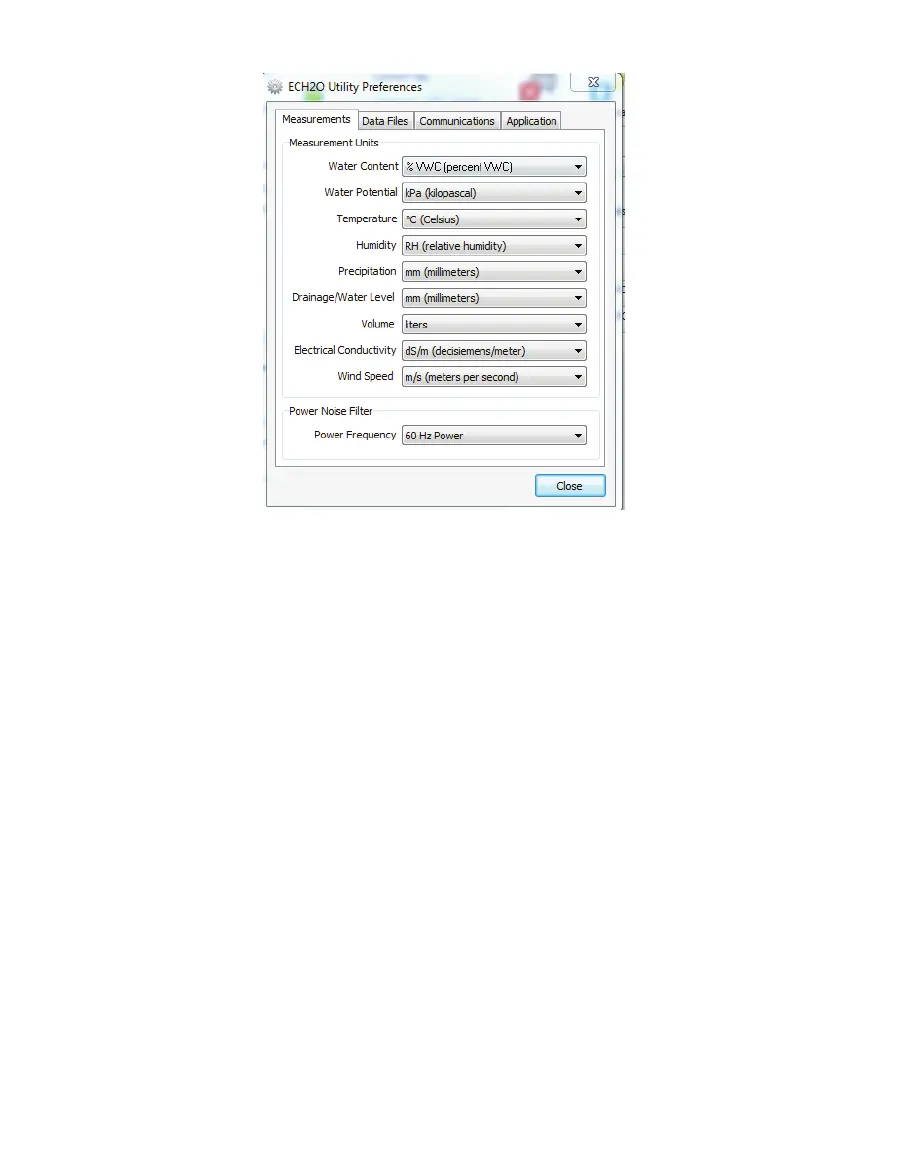
Figure5 ECH2O Utility Preferences: Measurements tab
1. Measurements Tab
The Measurement Units feature is the main function of the Measurement tab. These field
entries determine the unit values that display when you save downloaded data as Excel,
processed, or raw data files. ECH20 Utility supports displaying some measurement data in
multiple units. For example, it allows you to choose degree Celsius or degree Fahrenheit for
temperature sensors.
To set your preferences for measurement units, choose the Measurements tab in the
ECH20 Utility Preferences window. Locate the type of measurement and select a unit from
the drop-down menu next to it. Click Close to apply the changes.
The Power Noise Filter is the other feature of the Measurements tab. The AC electrical
power in your office or home can add a subtle amount of noise to the data logger sensor
measurements. The logger Power Noise Filter setting is designed to eliminate this electrical
noise that comes from the AC power distribution system. You should set the value of the
Power Noise Filter to match the frequency of the power cycle where you live. In North
America and most of Asia, this is 60 Hz (the default value). In most of Europe the electrical
frequency is 50 Hz. This feature only needs to be set once, as the program automatically
updates each connected device filter.



 To Next Page