Tempo
To set the tempo to the desired BPM value. Hold
down the Tempo key and turn the DATA1 encoder to
the desired value.
*
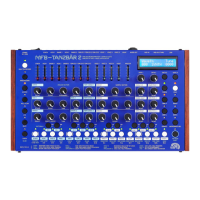
Play
The LED above the Play key indicates whether an
internal (red) or an external (green) clock is
being used.
BAR A,B,C,D
Each BAR key has a corresponding LED.
A glowing red LED indicates which bar area can
currently be edited. The order in which the
bars are played can be adjusted by holding one
bar key in combination with another.
Q10,+!*9!/)1!*,/12,03!5345@!*+!2.,,*,B!C/)1!+1V.1,512!G*33!=1!+/4--1E!=A!0

 To Next Page