Software Update
To update the device with a new Software please
use the Bootloader Software downloadable on
www.mfberlin.de.
Update can only be done using a MIDI interface.
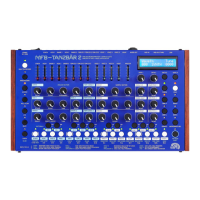
• To update the device: Turn on your Tanzbär 2
and hold DATA3 and DATA4 key.
• The Display will indicate that the device can
now be updated.
• Open the Bootloader. Select your MIII
interface. Then select syx. Update file. Start
the Update.
• The LEDs glowing up red one by one from
left to right indicate the Status oft he
update.As well as software and display.
• Once the update is done, the display will
show: Done!
• Turnn the device off and on. It will show
the newest firmware.
The newest OS is 1.03.


 To Next Page