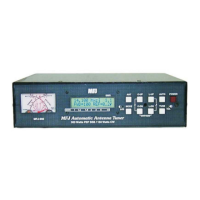
MFJ-998 Legal Limit IntelliTuner Automatic Antenna Tuner Instruction Manual
© 2007-2010 MFJ Enterprises, Inc.
4
Fast Start
WARNING
● Never operate the tuner with its cover removed. Contact with the components inside the
tuner while transmitting will result in painful RF burns.
● Locate the tuner so that the rear terminals are not accessible during operation. The single
wire connection may have high voltage while transmitting.
● Disconnect all antennas from the tuner during lightning storms.
● Always tune with low power (approximately 10-30 watts). Apply maximum power only
after tuning up.
● Never exceed tuner specifications.
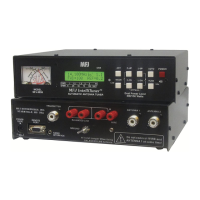
Connect the MFJ-998 to the transceiver, the amplifier, and the antenna as shown in Figure 1 and per the
following directions:
1. Connect the MFJ-998 to a 12-15 VDC voltage source capable of supplying at least 1.4 amps.
2. Connect your transceiver to the TRANSMITTER connector using a 50-ohm coaxial cable.
3. Connect your coax-fed antenna to the ANTENNA 1 connector using a 50-ohm coaxial cable, or
connect your random wire to the WIRE binding post.
4. Connect your ground connection to the GROUND post.
5. Connect the AMPLIFIER ENABLE output from your transceiver to the AMP ENABLE IN on the
MFJ-998, and connect the AMP ENABLE OUT on the MFJ-998 to the AMPLIFIER ENABLE
INPUT on your amplifier.
Note: If you use an amplifier keying interface between your transceiver and your amplifier,
such as the Ameritron ARB-704, this amplifier keying interface may be placed either
between the transceiver and MFJ-998, or between the MFJ-998 and amplifier.
6. If available, connect an MFJ-5114 transceiver control cable between the MFJ-998 and your
transceiver. Make sure to select your transceiver in the MFJ-998 Radio Interface setup menu.
7. Press the [POWER] button to turn on the MFJ-998 tuner.
8. Press the [ANT] button momentarily until a small “1” appears on line one of the display. This selects
antenna 1 and is indicated with one beep.
9. Key your transceiver to output a carrier of 5-30 watts CW, FM or AM.
Note: When a transceiver interface cable is used, initiating the TUNE cycle automatically keys
your transceiver in the low power TUNE mode.
10. Press and hold the [TUNE] button one second to start the automatic tuning process. When
completed, check to ensure an SWR of 1.5 or less has been achieved before increasing RF power.
Note: If you have a tuning solution on one band or antenna and you then change bands or
antenna and attempt to transmit a tuning signal, the previous tuning solution may be
sufficiently severe such that no power is detected by the MFJ-998 (the MFJ-998 will tell
you to increase power). When this occurs, simply bypass the MFJ-998 and then initiate a
tune.



 To Next Page