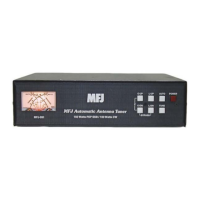
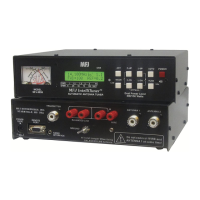
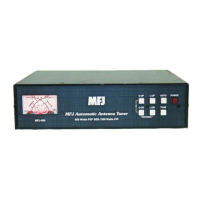
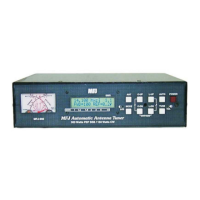
MFJ-998 Legal Limit IntelliTuner Automatic Antenna Tuner Instruction Manual
© 2007-2010 MFJ Enterprises, Inc.
28
Self Test
A self-test routine will check the functions of the MFJ-998. This routine checks the display, the front-
panel buttons, the internal memory, the audio circuitry, and the power-down circuitry. During the self-
test, you may stop the test by turning off the unit; however, this should NOT be done during the memory
test or the memory could be corrupted. The self-test can be completed in approximately 30 seconds.
Note: Performing the self-test will reset the unit to its factory default settings.
Here is the self-test procedure:
1. Turn off the power to the tuner.
2. Unplug the radio interface cable, if one is connected, from the tuner.
3. Press and hold only the [TUNE] button while turning the power on.
4. The test begins by displaying a copyright message and firmware version numbers, such as
COPYRIGHT (c) 2007-20YY MFJ ENTERPRISES, INC. VERSION YYWW.BB.RR.
This is the test of the display. Release the [TUNE] button before the message completes.
5. You will be prompted to press each of the front-panel buttons: [ANT], [MODE], [C-UP], [C-DN],
[L-UP], [L-DN] and [TUNE].
6. The unit then tests its non-volatile memory. Notice this step will reset the unit to its factory default
settings.
7. If the unit is okay, a repetitive message
PASS will be displayed and sent as Morse code (di-dah-dah-
dit di-dah di-di-dit di-di-dit). If there is a problem, a failure message will be displayed and sent
repetitively.
8. Once you have confirmed that the audio is okay, turn the unit off.
9. Turn the unit on again to test the power-down detection circuitry.
10. If the power-down detection circuitry is okay, a repetitive message
PASS will be displayed and sent
as Morse code (di-dah-dah-dit di-dah di-di-dit di-di-dit). If there is a problem, message
PD FAIL
will be displayed and sent as Morse code repetitively.
11. Turn the power off.
Failure
Message
Indicates
ANT FAIL
[ANT] button is shorted or improperly connected.
MODE FAIL
[MODE] button is shorted or improperly connected.
C-UP FAIL
[C-UP] button is shorted or improperly connected.
C-DN FAIL
[C-DN] button is shorted or improperly connected.
L-UP FAIL
[L-UP] button is shorted or improperly connected.
L-DN FAIL
[L-DN] button is shorted or improperly connected.
TUNE FAIL
[TUNE] button is shorted or improperly connected.
MEMORY FAIL
Non-volatile memory circuitry is improperly connected.
WAKEUP FAIL
Microprocessor wakeup circuitry problem.
PD FAIL
Power-down circuitry problem.
Table 3. Failure Messages.



 To Next Page