4
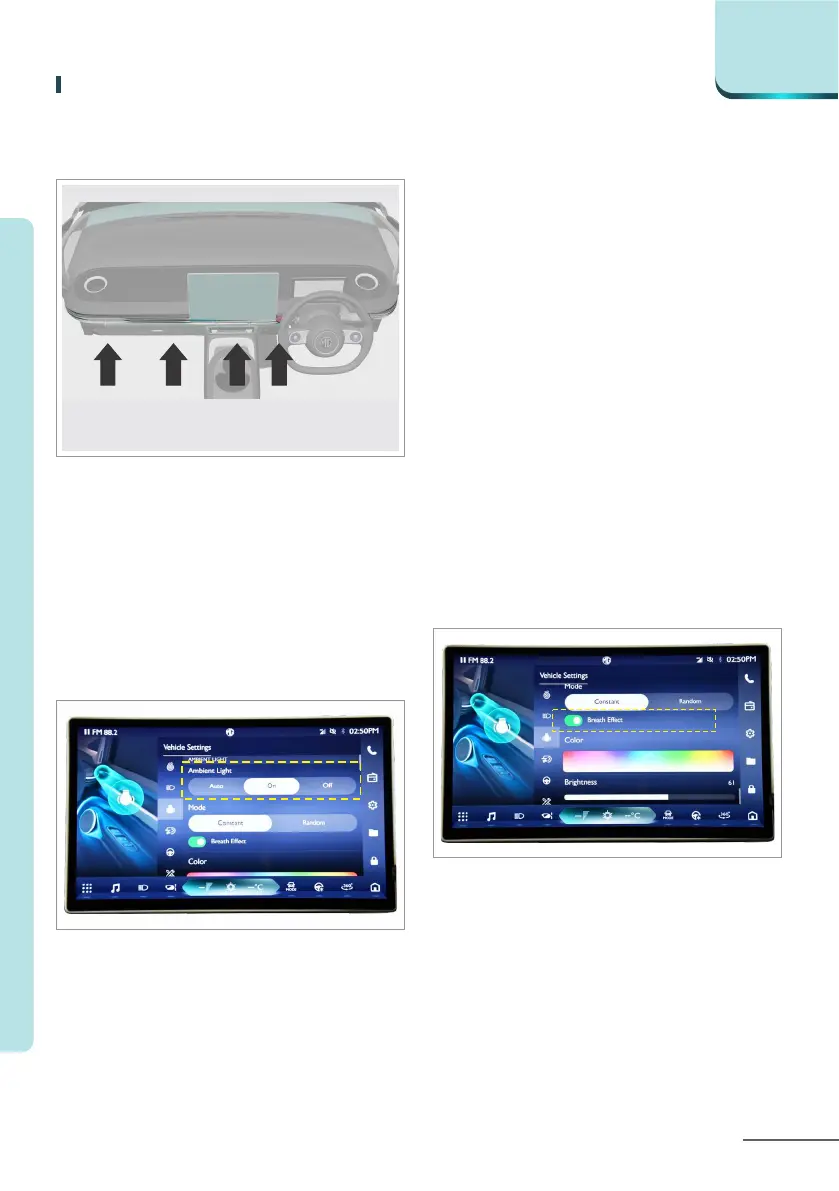
If equipped, the ambient lights are
arranged in the instrument panel and
four door storage areas.
Ambient lights
You can set ambient lights to Auto/
On/ O in “Menu - Vehicle settings -
Lamp - Ambient light - Auto/On/O”.
Interior ambient lamp*
Adjustment mode
You can set fixed mode/random
mode in “Menu - Vehicle settings -
Lamp - Ambient light - Mode
adjustment - Constant/Random”.
Constant mode
a. Colour selection
You can select the desire colour
from the colour panel.
b. Breathing eect
You can set the breathing eect of
ambient lights in “Menu - Vehicle
settings - Lamp - Ambient light -
Mode adjustment - Constant -
Breathing eect”.
4-53
LIGHTING
C o m f o r t & C o n v e n i e n c e



 To Next Page