8.2.4 Profibus Interface
8.2.4.1 Installation
Mount the Profibus adapter, see Chap. 8.2.
i
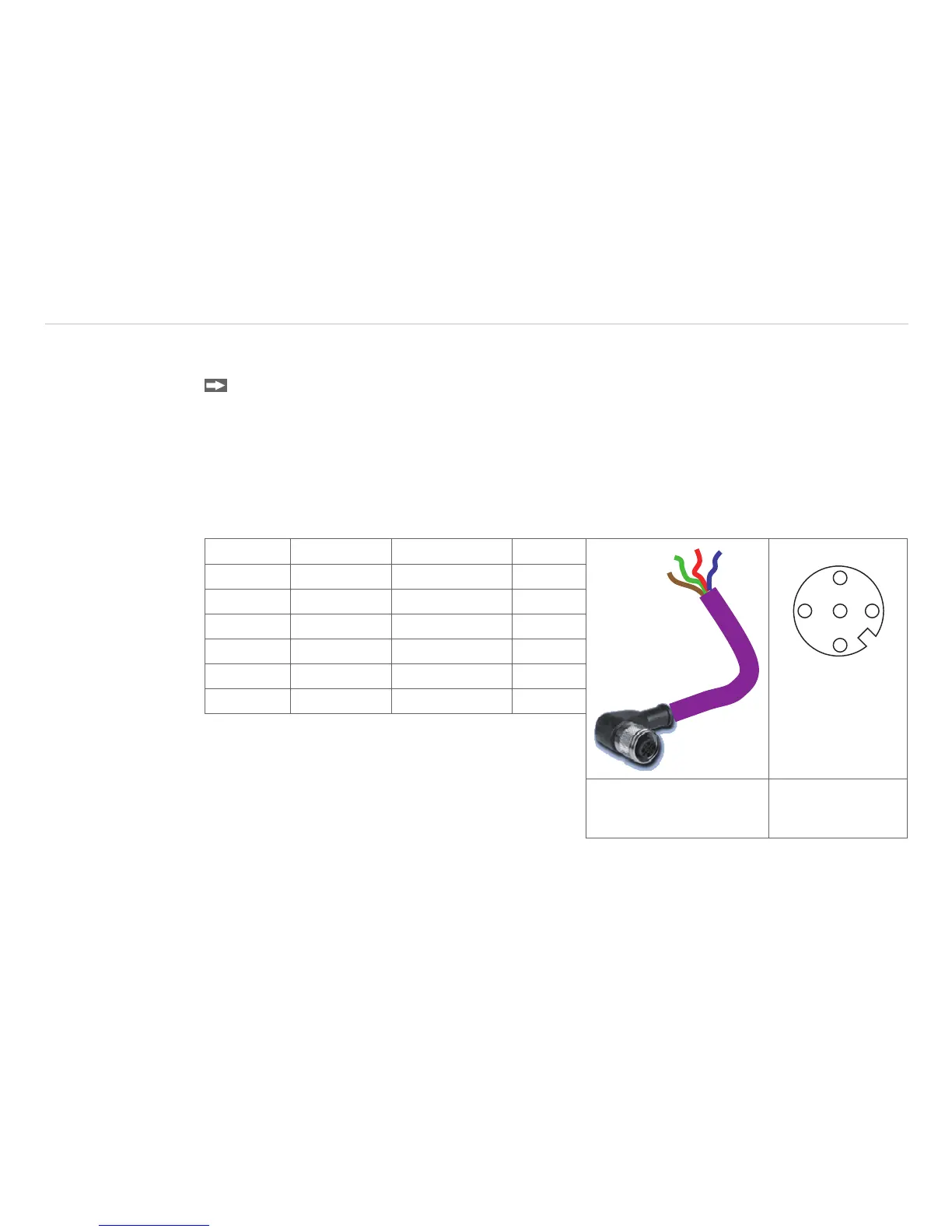
Make sure the wiring is correct, see Fig. 39.
i
We recommend for industrial installations to connect the shield of the Profibus cable with the controller
housing (inside the cable gland).
The thermoMETER CT always needs an external power supply.
Connector Color Function Pin
1
2
3
4
5
A Green A 2
B Red B 4
GND Blue Ground 3
VCC Brown +5 V (not used) 1
Shield n.c. 5
Housing Silver (shield)
Fig. 39 Pin assignment Profibus interface
M12 round connector
View on solder pin
side 5-pin. round
connector


 To Next Page