8.2.6.3 Uninstalling the Ethernet Adapter in a Network
To deinstall an adapter please follow the steps de-
scribed under Network Installation, see Chap. 8.2.6.2.
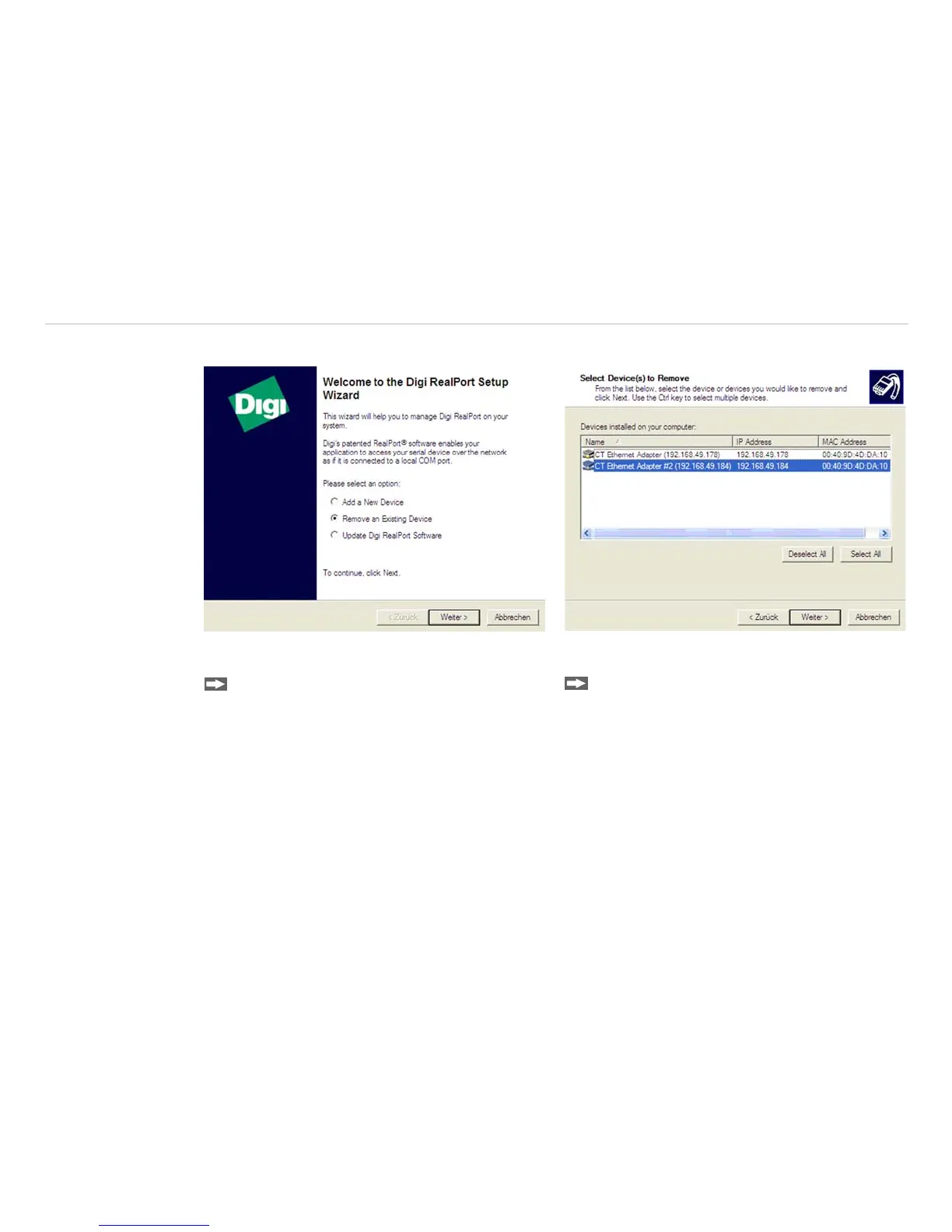
Select Remove an Existing Device and
press then Weiter.
In the upper overview all on the PC installed Ether-
net adapter are shown.
Select the adapter(s) which should be dein-
stalled and press Weiter.


 To Next Page