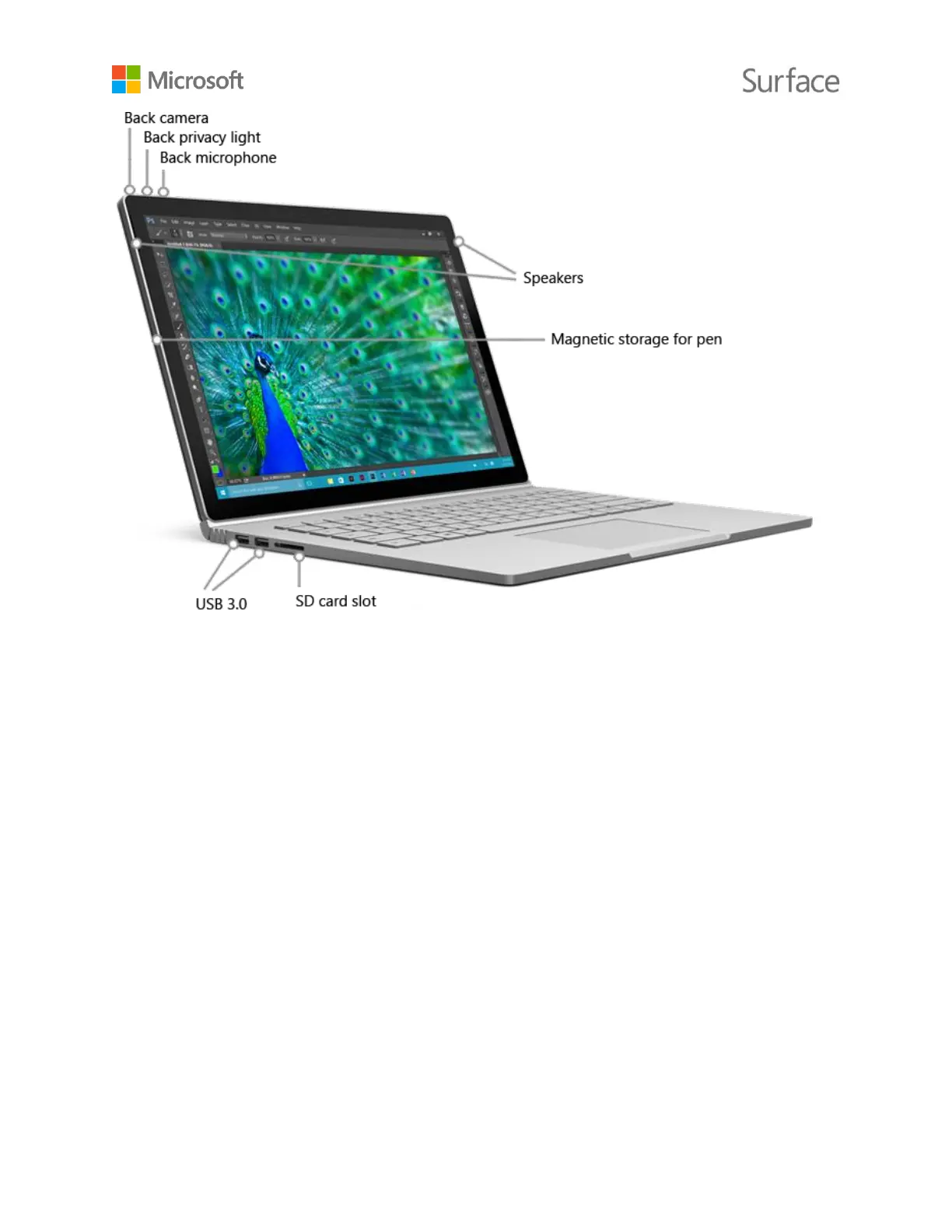
Surface Book has the ports you expect from a full-feature laptop.
Two full-size USB 3.0 ports
Connect a USB accessory like a mouse, printer, Ethernet adapter, USB
drive, or smartphone.
SD card slot
Use the full-size SD card slot with an SD card (sold separately) for extra
storage and transferring files.
Mini DisplayPort version 1.2a
Share what’s on your Surface screen by connecting it to an HDTV,
monitor, or projector. (Video adapters are sold separately.)
3.5 mm headset jack
Plug in your favorite headset for a little more privacy when listening to
music or conference calls.
Windows 10 operating system
Windows 10 provides a variety of options for entertainment and
productivity whether you’re at school, at home, or on the go.











 To Next Page