microTec
32
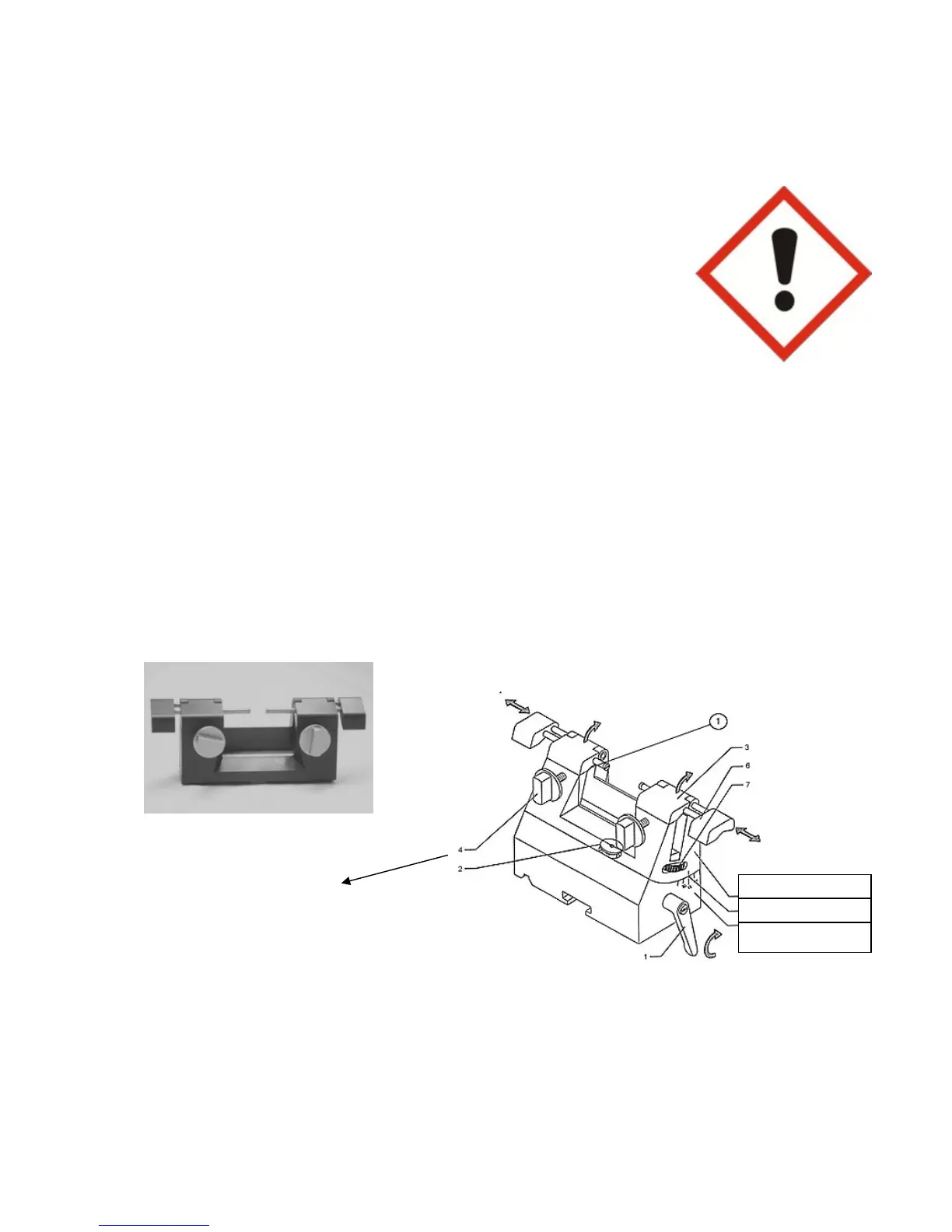
8.3 The “R“ type knife holder
Assembling the “R“ type knife holder on the base of the knife holder
Release clamping lever in opposite direction to that of the arrow.
Introduce the “R“ type knife holder into the clamping mechanism.
Clamp at the required clearance angle position.
Inserting the knife
Slightly unscrew clamping screws.
Push the knife in from the side.
or
Hinge up knife guard in direction of arrow.
Insert knife from above.
Clamp knife by means of the clamping screws.
Push finger guard to center each time when
Carrying out setting-up operation.
Clamping levers are fitted to both sides of the knife holders to facilitate easier operation.
Knife height adjustment device
Loosen clamping screws.
Adjustment to the height of the knife (1) is accomplished by screwing the knurled screws
to the left or the right.
Tighten the clamping screws.
Clamp screw
Knife holder R
Angle marking



 To Next Page