CCM-270A/WS
68 201807
CCM-270A/WS Service Manual
5.1.3 Device View
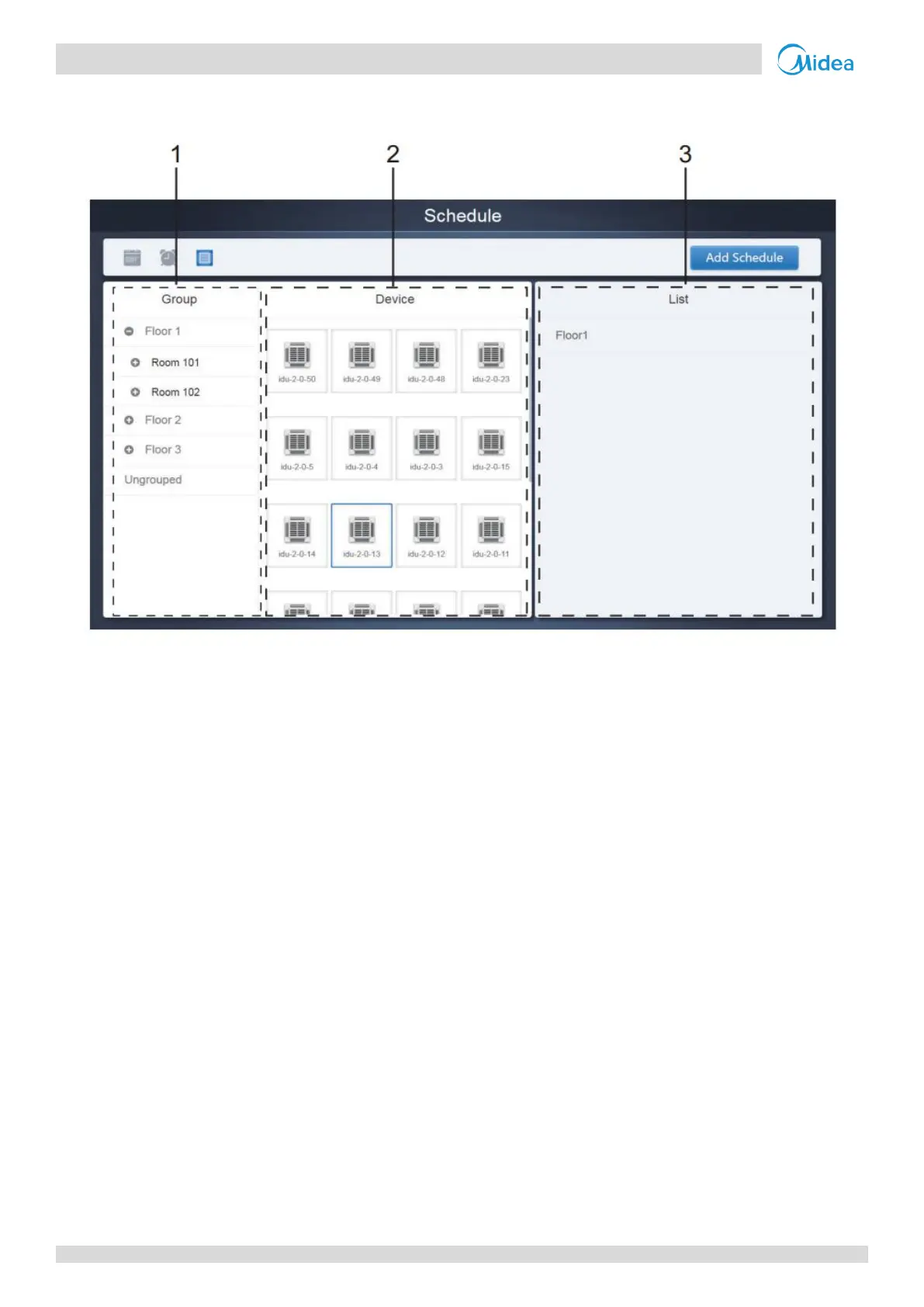
Tap the third icon to go to the device view.
The page is divided into three sections.
1. Group List: This makes it easy to locate the device quickly. Tap "+" to expand the group, and "-" to minimize the group.
All the IDUs in the selected group are displayed in the second column. Tap "Ungrouped" to view devices that have not
been grouped.
2. The second column is a list of all the devices in the selected group.
3. The third column is the list of schedules and displays all the names of all the schedules associated with the selected
device.
Note: These groups are the ones created in the group tab of the “Install” menu.


 To Next Page