EasyManua.ls Logo

Midtronics DCA-8000 - Page 23

Midtronics DCA-8000
56 pages
Print Icon
To Next Page IconTo Next Page
To Previous Page IconTo Previous Page
Loading...
www.midtronics.com
2 – In Vehicle Charge
DCA-8000
23

 
Cranking Health





Send Results 
Done

 
Reserve Health
OK



Send Results 
Done

 
DCA




Send Results 
Done
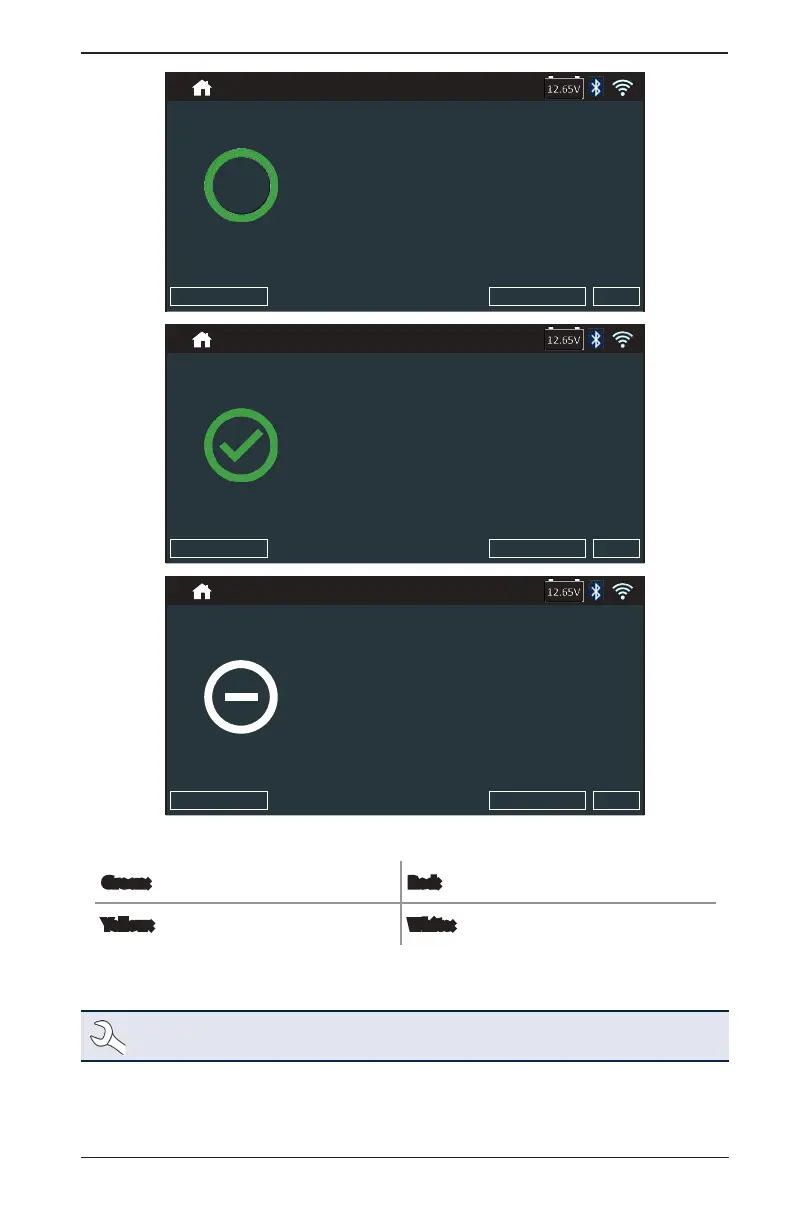
Icons are color-coded to indicate status.
Green:
All test parameters were completed
and have passed.
Red:
The battery has failed the test.
Yellow:
Some test parameters may require
further testing.
White:
Insufcent data to perform the test.
To print or send the test results to a congured printer or via email tap Send Results and select an
option. To return to the Home Screen, tap Done
or System Test to continue with the System Test.
NOTE: Refer to
Appendix C: Test Result Decision Tables for a complete explaination of
possible test results.

Table of Contents

Other manuals for Midtronics DCA-8000

Related product manuals