Programmable functions
71
Editing and saving the
programmable function
You can either switch a programmable
function on/off or select different
options.
Touch theorsensor button to
switch the programmable function
on/off or to select an option:
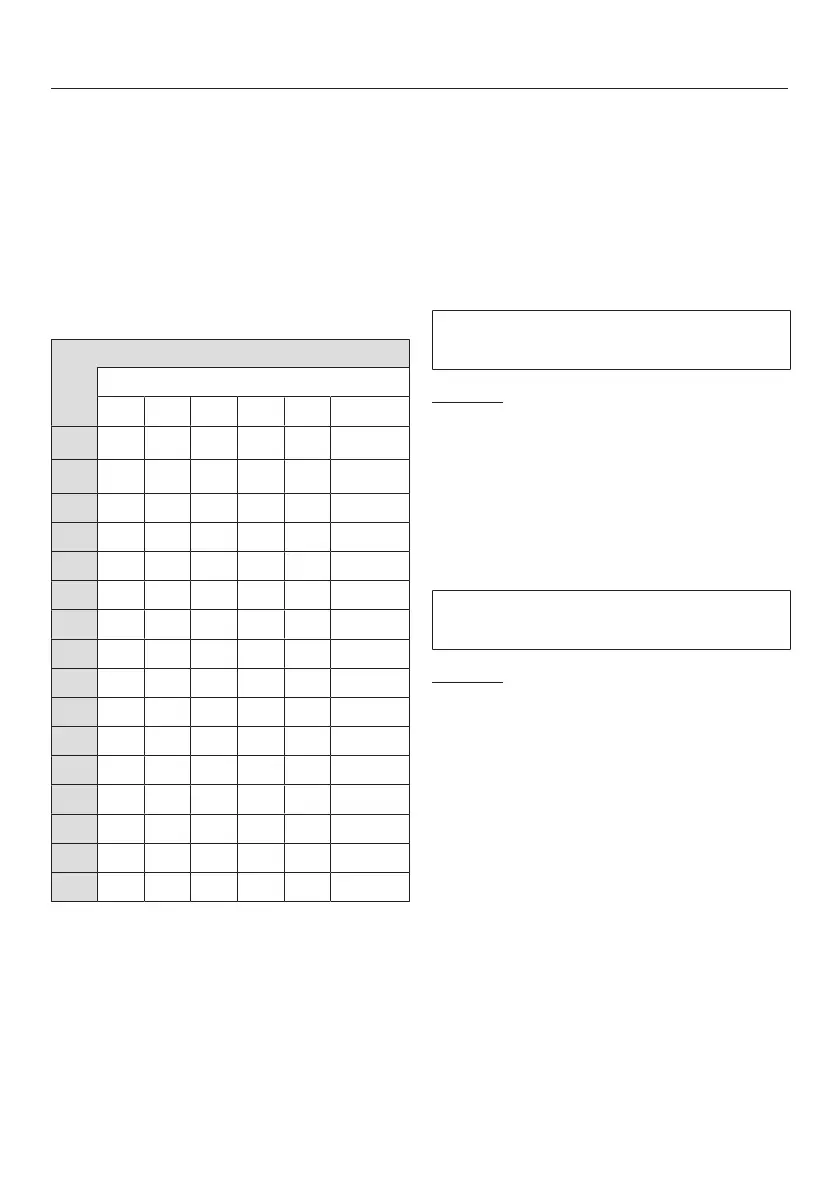
Programmable function
Available options
–
X X
O
X O
X
O X
X O
O X
X O
O X X X
O X
O X
O X
O X
X O
O X
O X
X X O X X
X O X
X = Can be selected
O = Factory default setting
Confirm the chosen selection with
the Start/Stopsensor button.
The number of the programmable
function, e.g., will then light up
again.
Exiting the programming level
Turn the program selector to.
The settings you have selected are now
stored in the memory. You can alter the
settings again at any time.
Buzzer
The buzzer sounds to let you know the
program has finished.
Options
= Buzzer is switched off
= Normal buzzer volume
= Loud buzzer volume
(factory default setting)
Keypad tone
Each touch of a sensor button is
confirmed with an audible tone.
Options
= Keypad tone is switched off
= Keypad tone is switched on
(factory default setting)



 To Next Page