
 Need help?
Do you have a question about the Mikado VBAR and is the answer not in the manual?
Explains the core functionality, advantages, and operational principles of the V-Bar system.
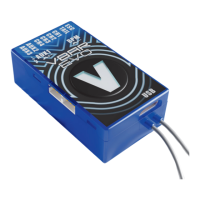
Details the placement, wiring, and protection requirements for the VBar central unit within the helicopter.
Covers the proper mounting, alignment, and vibration considerations for the 3-axis gyro sensor.
Highlights critical power supply requirements and current consumption for the VBar and connected servos.
Details connection methods for different types of satellite receivers, such as Spektrum and Fasst/Jeti.
Covers the process of connecting, configuring, and binding Spektrum satellite receivers with the VBar.
Describes the VBar initialization process, including the swashplate twitch indicator.
Emphasizes careful handling, understanding operations, and potential risks associated with model helicopters.
Clarifies the VBar's role as an actively controlling element within the helicopter's system.
Outlines critical pre-flight checks for sensor direction, swashplate settings, and cyclic/collective response.
Details the information needed to report a malfunction, including unit identification and crash description.





 To Next Page

 General