14
6. Pre-defined Set-ups (Presets)
This section explains how you will achieve a completely finished set-
up in just a few steps. You may start with this section if and only if
you have installed and opened the PC software sucessfully on your
computer. Once you have connected the VBar with the receiverv you
can begin.
Only if your model is not included as one of the pre-defined set-up
options here, you need to carry out a few extra steps. Then, in each
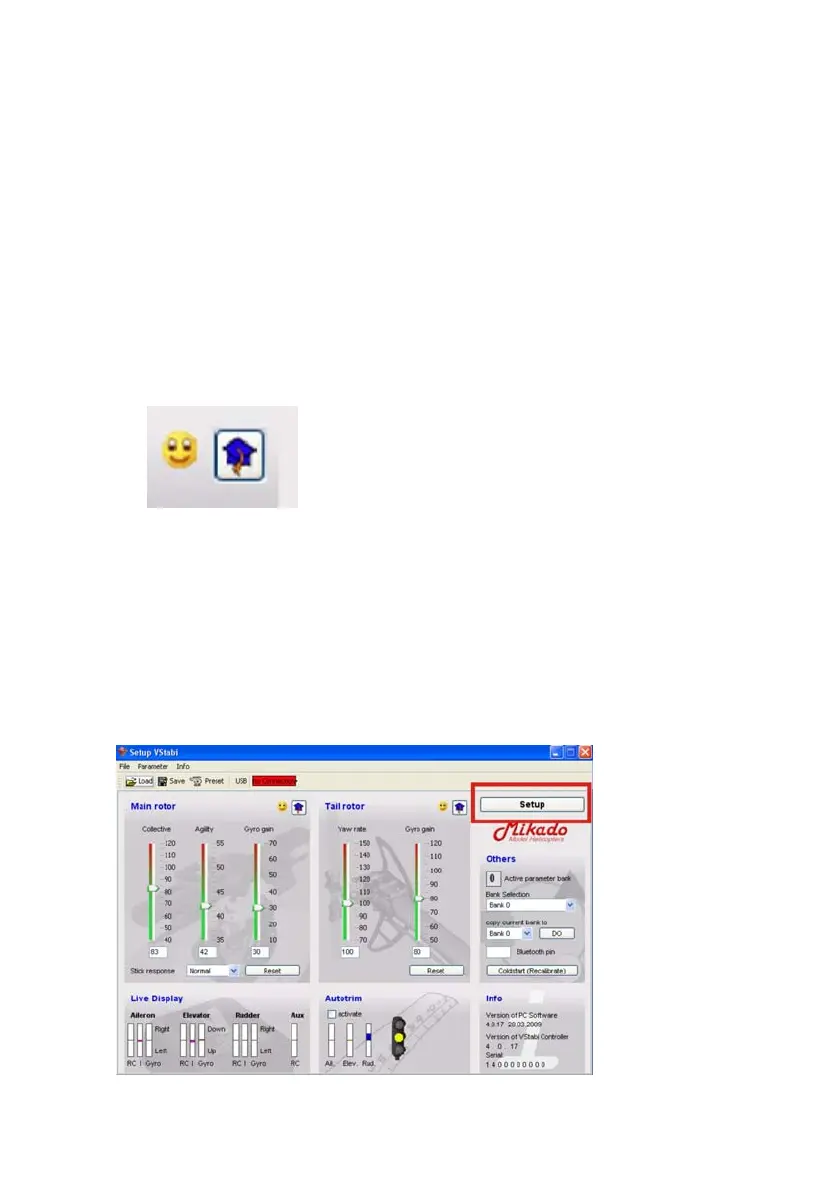
section, click on the little blue doctors hat (where applicable) for
additional set-up options.
By clicking the smiley you can return to the previous screen. In this
manual we will present all information on these additonal options in
blue font.
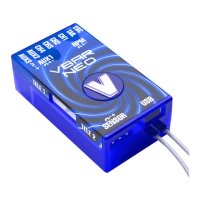
The VBar software has two different user interfaces, or programming
pages: the one you see right after start-up shows the Flight Parameters,
and the other one is for set-up on the bench. To set up your heli,
press „Setup“ in the upper right corner.





 To Next Page