Start or stop using HTTP.
Web GUI login port, the default is 80, the same with ONVIF port.
Start or stop using HTTPS.
Web GUI login port via HTTPS. the default is 443.
Upload and set the SSL certificate .
HTTP URL are as below:
http://username:password@IP:port/ipcam/mjpeg.cgi
http://username:password@IP:port/ipcam/mjpegcif.cgi
http://username:password@IP:port/mjpegthird.cgi
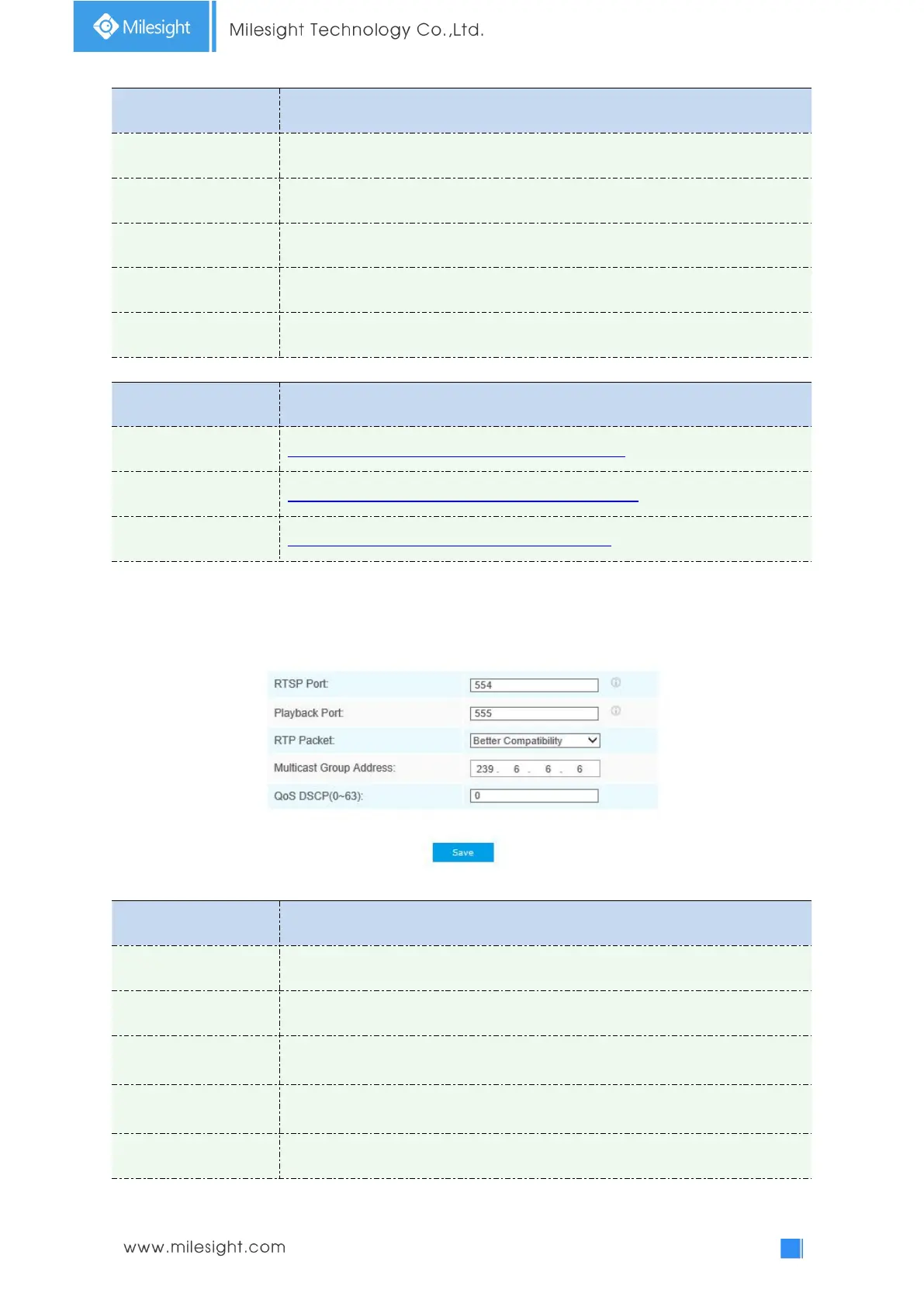
RTSP
Table 4-4-10 Description of the buttons
The port of RTSP, the default is 554.
The port of playback, the default is 555.
There are Better Compatibility and Better Performance two options. If your
camera’s image mess up, please switch this option.
Support multicast function.
The valid value range of the DSCP is 0-63.











 To Next Page