The name of the device detected online can be edited
Auto: Automatically obtain the corresponding HTTP, HTTPS, RTSP and Playback
port, without any settings
Manual: Need to manually set the appropriate HTTP port, HTTPS port, RTSP Port
and Playback port. When choose Manual, you can customize the value of the port
number by yourself
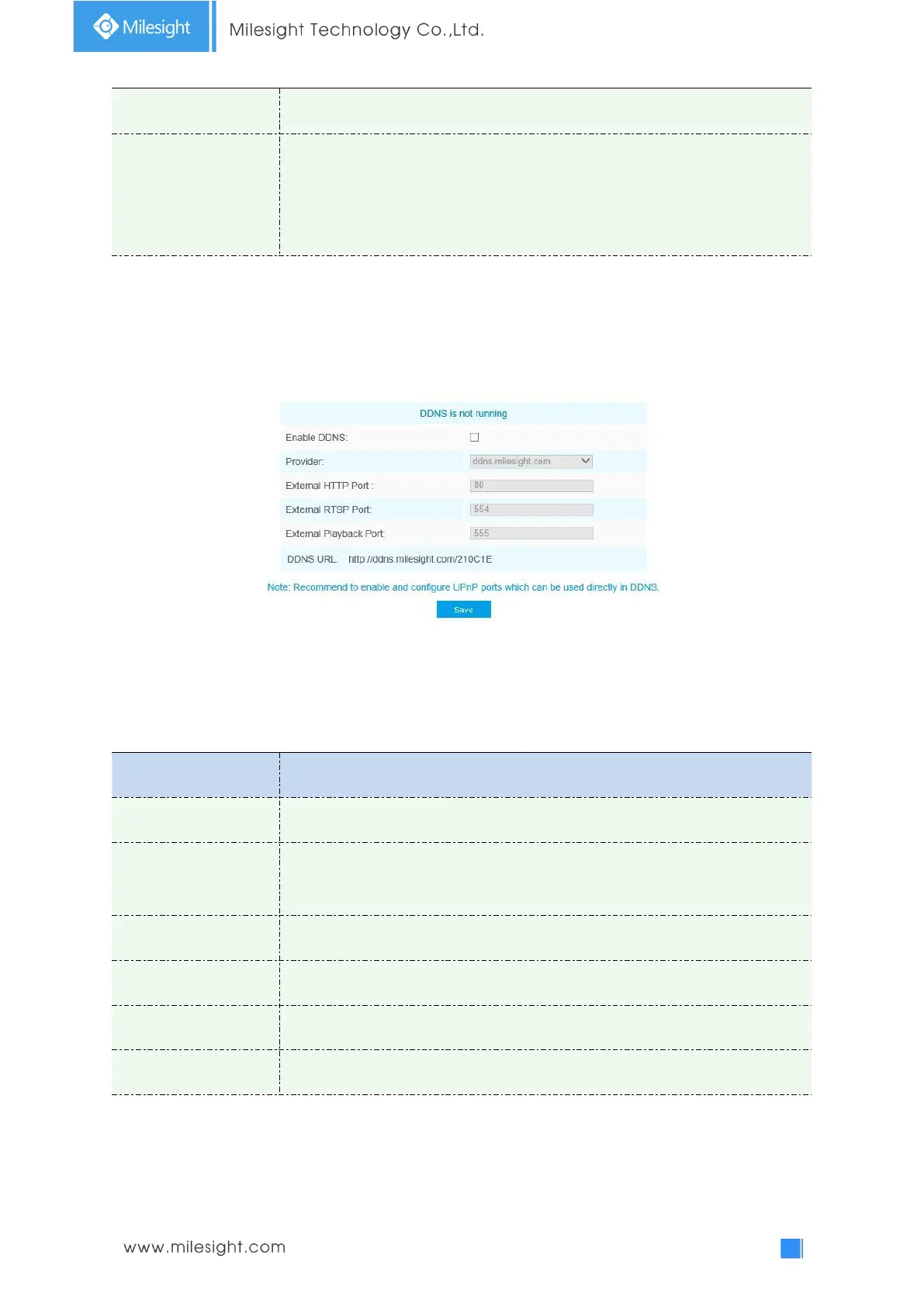
DDNS
DDNS allows you to access the camera via domain names instead of IP address. It manages to
change IP address and update your domain information dynamically. You need to register an
account from a provider.
You can choose “ddns.milesight.com” as provider for DDNS. After enabling, you can access the
device via the URL “http://ddns.milesight.com/MAC address” .
Table 4-4-12 Description of the buttons
Check the checkbox to enable DDNS service
Get support from DDNS provider: ddns.milesight.com, freedns.afraid.org,
dyndns.org, www.no-ip.com, www.zoneedit.com. You can also customize the
provider for DDNS.
A string used for verifying, only for "freedns.afraid.org"
Account name from the DDNS provider, unavailable for "freedns.afraid.org"
Account password, unavailable for "freedns.afraid.org"
DDNS name enabled in the account
Note:
1)Please do the Port Forwarding of HTTP Port and RTSP Port before you use Milesight DDNS.
2)Make sure that the internal and the external port number of RTSP are the same.











 To Next Page