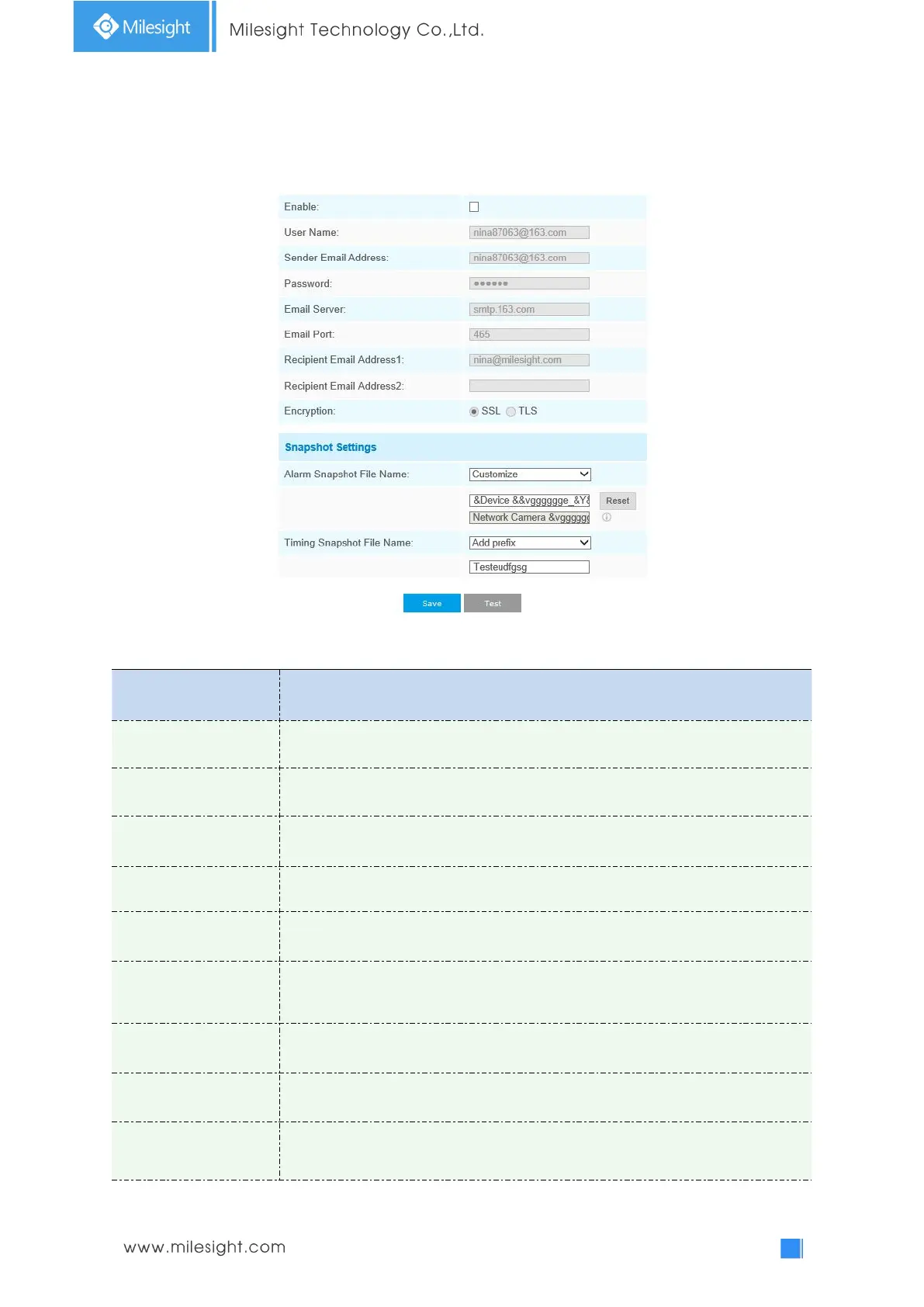
Email
Alarm video files can be sent to specific mail account through SMTP server. You must configure the
email settings correctly before using it.
Table 4-4-13 Description of the buttons
Check the checkbox to enable Email function
The sender's name. It is usually the same as the account name
Email address to send video files attached emails
The password of the sender
The SMTP server IP address or host name(e.g. smtp.gmail.com)
The port of SMTP server. The default TCP/IP port for SMTP is 25(not secured). For
SSL/TLS port, it depends on the mail you use
Email address to receive video files
Email address to receive video files
Check the checkbox to enable SSL or TLS if it is required by the SMTP server.











 To Next Page