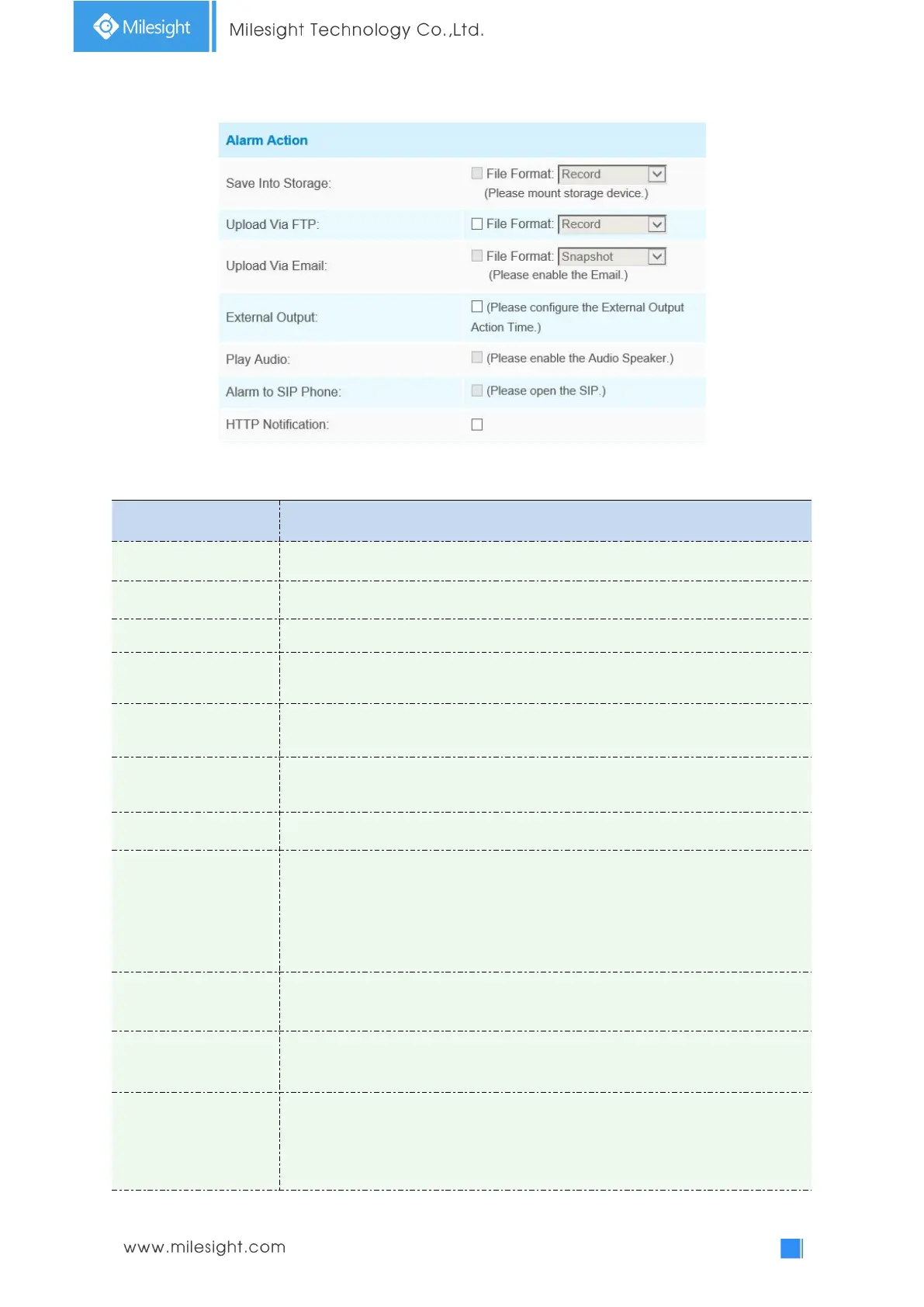
Step4: Set alarm action;
Table 4-6-2 Description of the buttons
Save alarm recording files into SD Card or NAS
Upload the recording files via FTP.
Upload the files via Email
.
If the camera equips with External Output, you can enable the action after
configuring the trigger duration.
If the camera equips with Speaker, you can enable the action after configuring the
audio speaker.
If the camera equips with Buzzer, you can check the checkbox to enable the
function.
Support to call the SIP phone after enable the SIP function.
Support to pop up the alarm news to specified HTTP URL.
Note:
1) Three HTTP notifications at most can be added to the same event.
2) HTTP Notification supports Basic & Digest authentication.
3) It supports HTTPS for HTTP Notification.
When the alarm triggered, White LED will turn on to warning the detected
objects (Only for Mini PTZ Bullet).
When the motion alarm triggered, PTZ Motion allows the camera move the lens
to the motion triggered position and zoom in.
Call Preset/
Call Patrol/Call Pattern
(only for External
Input)
When the motion alarm triggered, the specified preset/patrol/pattern can be
called.











 To Next Page