NOTE:
1) The HTTP notification function is just one way for camera to send messages to VMS Software.
And it's the VMS that defines what the messages mean and decides what to do after receiving
this kind of messages. So, we can use the HTTP Notification function of our cameras only if the
VMS supports this kind of message format.
Here the Digifort will be taken as an example to introduce the HTTP Notification function.
The following are the detail steps of setting for HTTP Notification in Digifort VMS and our
cameras.
Step1: Enable Alarm; set Motion Region and Detection Schedule;
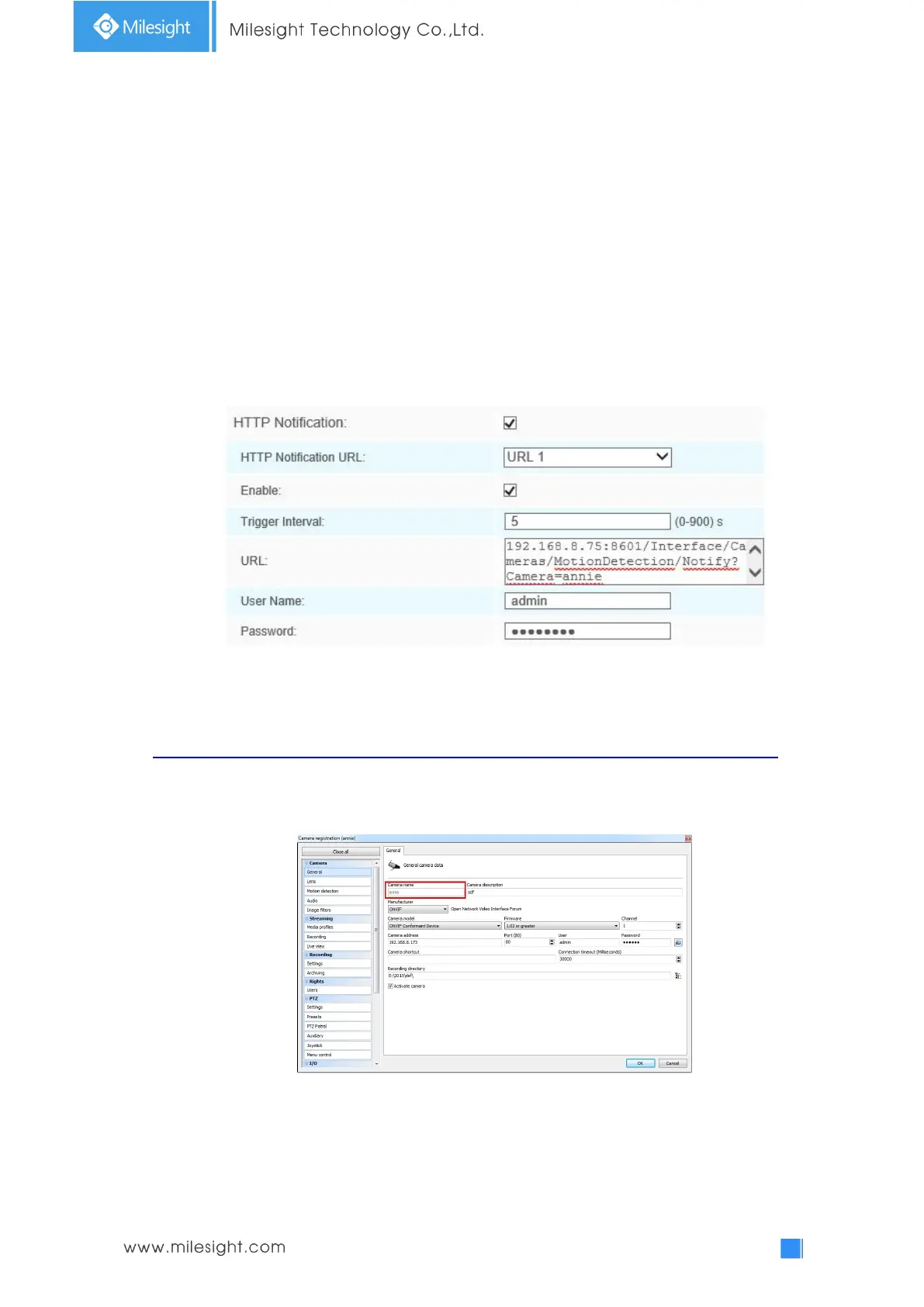
Step2: Confirm the HTTP Notification as Alarm Action, and fill the fields. Then save the
alarm setting. You can add up to three HTTP notifications to the same event;
HTTP User Name: admin (the user name of your camera)
HTTP Password: ms1234 (the password of your camera)
HTTP Notification URL:
http://IP:8601/Interface/Cameras/MotionDetection/Notify?Camera=CameraName
IP refers to the PC's IP where the Digifort installed.
8601 is the port for Motion signal in Digifort.
CameraName is the camera name you set in Digifort VMS, like the picture shown below.
Example:
http://192.168.8.75:8601/Interface/Cameras/MotionDetection/Notify?Camera=annie,
this url format is exactly supported by Digifort VMS, so we can set as above to our
cameras and get it work well.
Step3: Choose use motion detection by external notification;











 To Next Page