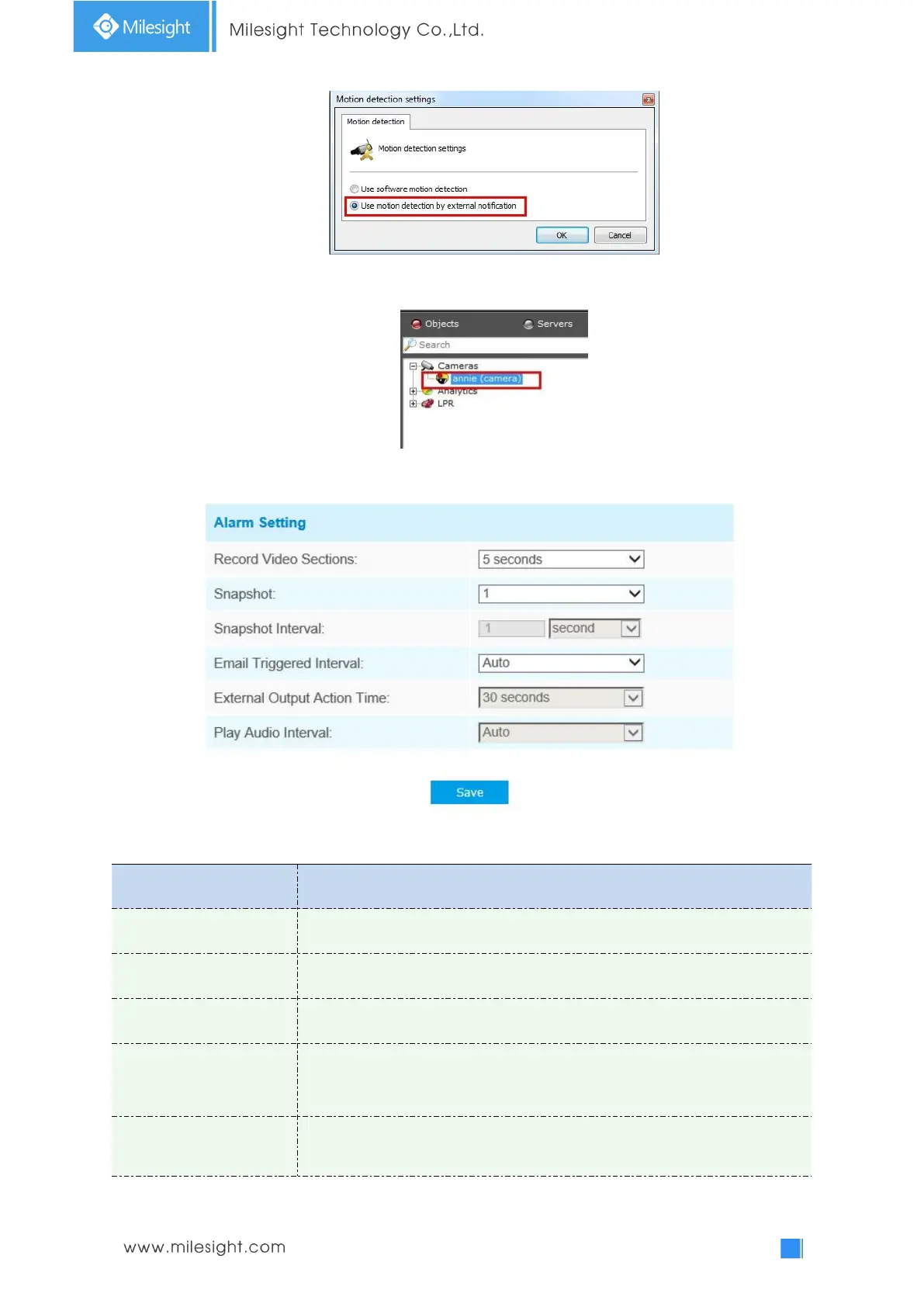
Step4: If successful, you can see the device icon turn yellow in the Surveillance when the
camera is under Motion Detection Alarm;
So, it's the VMS Software which decides whether we can use this function successfully.
Step5: Set alarm settings.
Table 4-6-3 Description of the buttons
Six different periods are available(5, 10, 15, 20, 25, 30 sec).
The number of snapshot, from 1 to 5.
It cannot be edited unless you choose more than 1 to Snapshot.
Auto / 10 seconds / 20 seconds / 40 seconds / 60 seconds / 100 seconds / 5
minutes / 15 minutes / 30 minutes / 1 hour / 8 hours / 12 hours / 24 hours are
available.
External Output Action
Time
Length of time an alarm lasts, this cannot be edited unless when you enable
the External Output on the Alarm Action firstly.











 To Next Page