Step7: Set detection schedule;
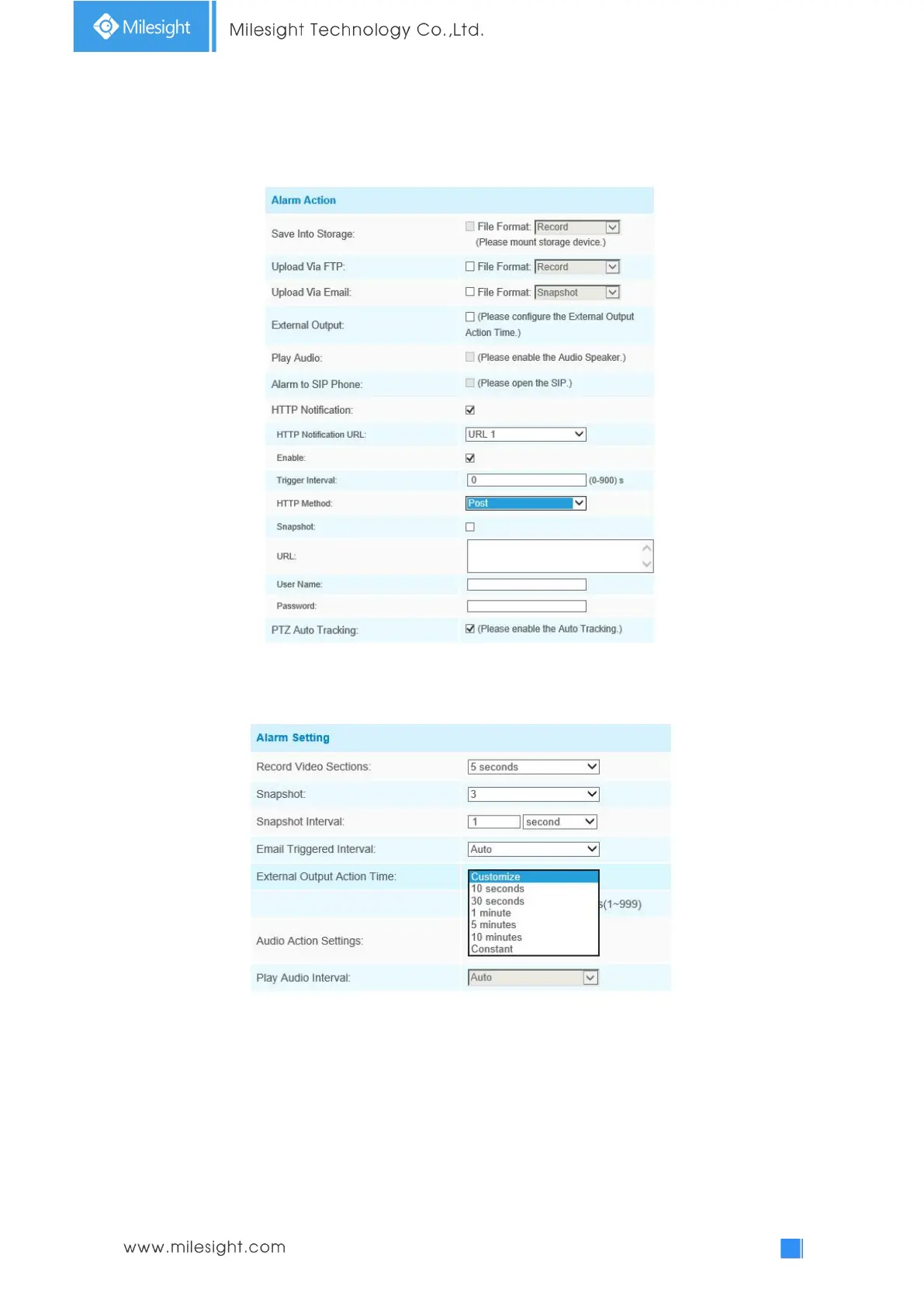
Step8: Set alarm action. When enabling PTZ Auto Tracking, camera will automatically track objects
and trigger an alarm if detecting objects crossing a defined virtual line;
Step8: Set alarm settings. If you enable External Output and choose Constant External Output
Action Time, when objects cross a defined virtual line, External Output Action alarm time will be
always constant till the alarm is released.
Note:
Milesight allows to set up to four lines at a time. There are three direction modes to choose for
triggering alarm. “A→B” means when there is any object crossing the line from the “A” side to the
“B” side, the alarm will be triggered. “B→A” vice versa. “A ↔ B” means that the alarm will be
triggered when objects cross line from either side.











 To Next Page