Reporting interval ≤ 35 mins: the device will send a specific number of
LinkCheckReq MAC packets to the network server every reporting interval or
every double reporting interval to validate connectivity; If there is no response,
the device will re-join the network.
Reporting interval > 35 mins: the device will send a specific number of
LinkCheckReq MAC packets to the network server every reporting interval to
validate connectivity; If there is no response, the device will re-join the
network.
Set the number of
packets sent
When rejoin mode is enabled, set the number of LinkCheckReq packets sent.
Allow the network server to adjust datarate of the device.
The transmit power of device.
Note:
1) Please contact sales for device EUI list if there are many units.
2) Please contact sales if you need random App keys before purchasing.
3) Select OTAA mode if you use Milesight IoT Cloud to manage devices.
4) Only OTAA mode supports rejoin mode.
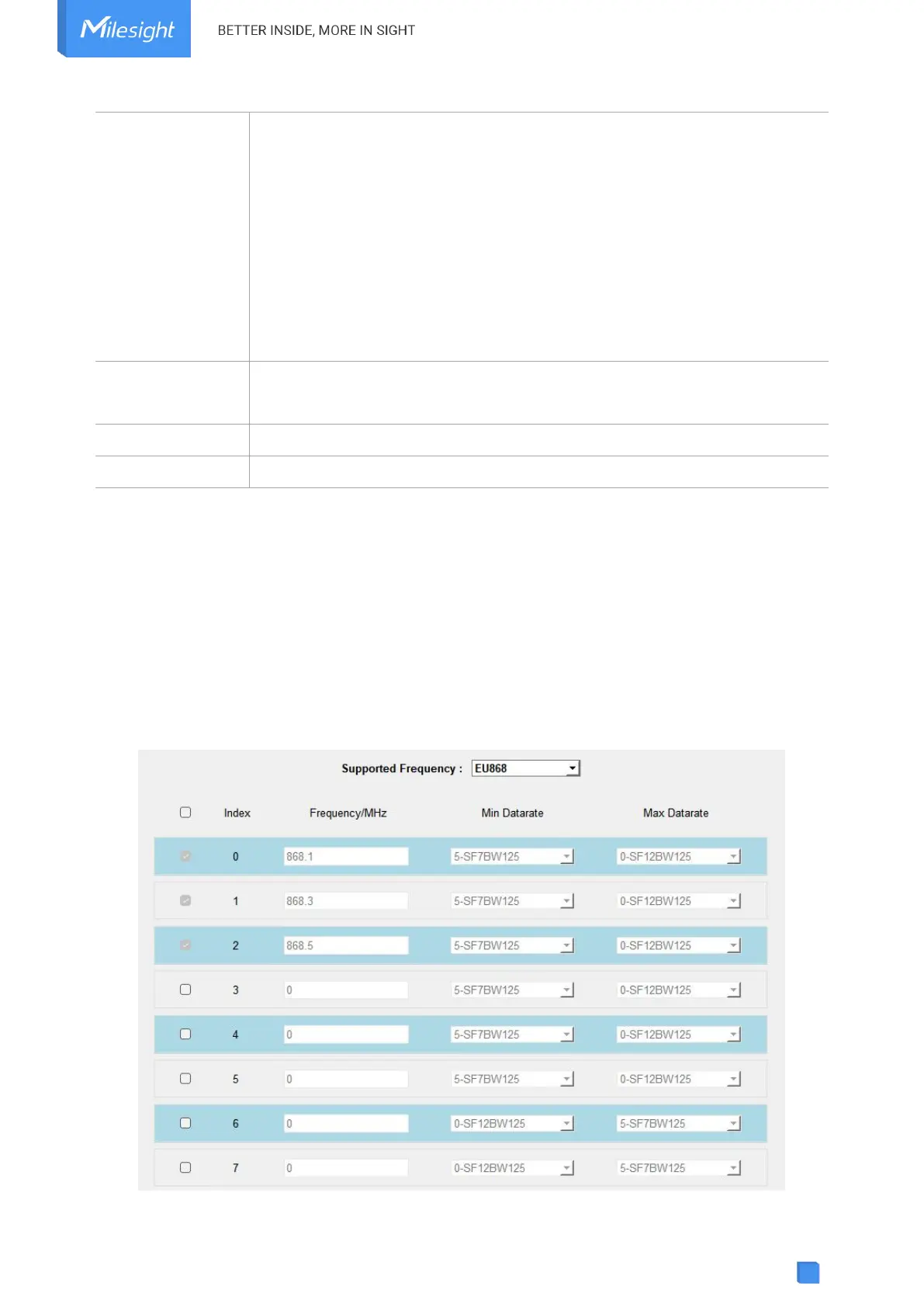
LoRaWAN Frequency Settings:
Go to LoRaWAN Settings > Channel to select supported frequency and select channels to send
uplinks. Make sure the channels match what you set in the LoRaWAN
®
gateway.



 To Next Page