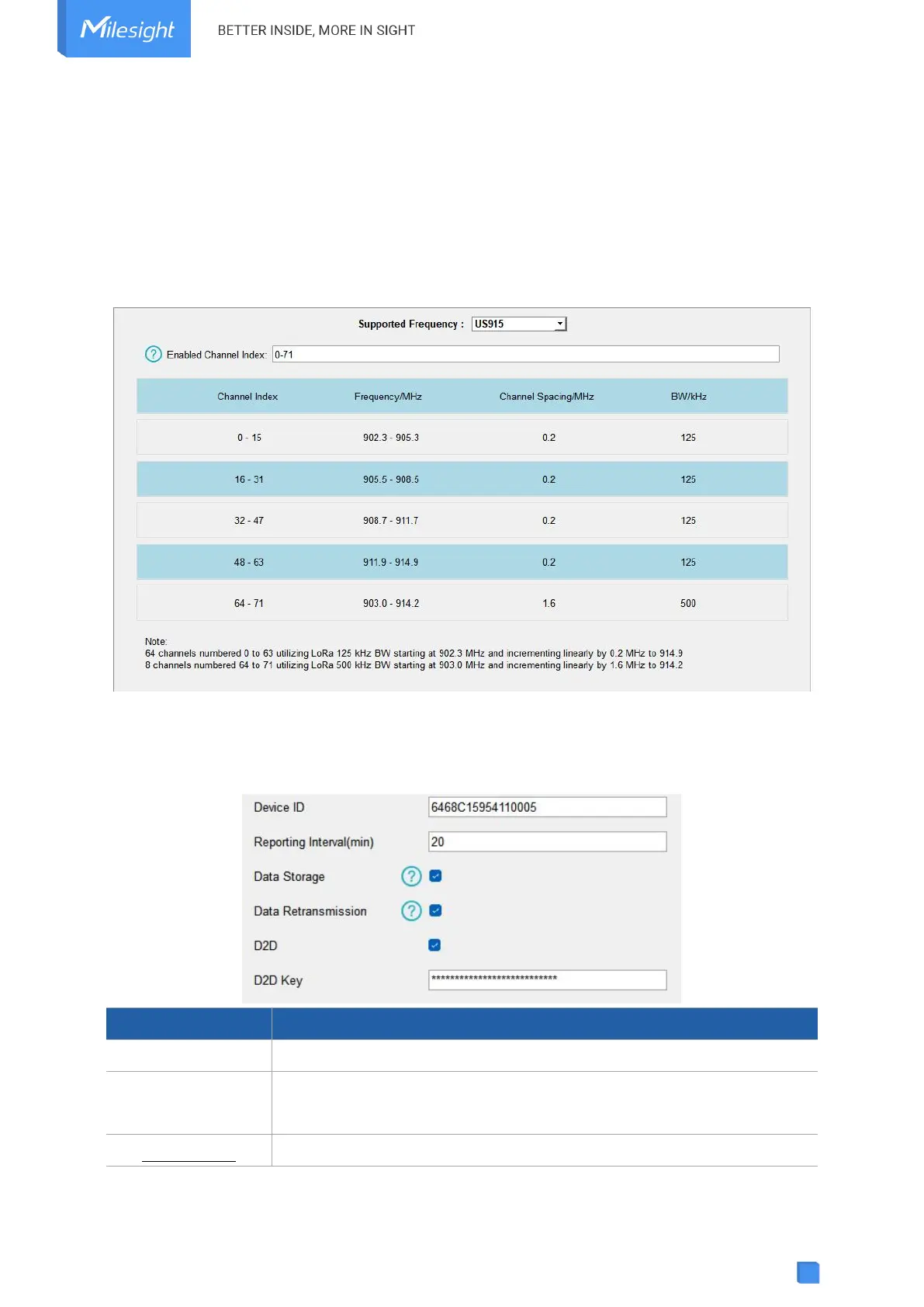
If the frequency is one of CN470/AU915/US915, enter the index of the channel that you want to
enable in the input box, making them separated by commas.
Examples:
1, 40: Enabling Channel 1 and Channel 40
1-40: Enabling Channel 1 to Channel 40
1-40, 60: Enabling Channel 1 to Channel 40 and Channel 60
All: Enabling all channels
Null: Indicates that all channels are disabled
4.3 General Settings
Show the SN of the device.
Reporting interval of transmitting Modbus channel data to the network
server. Range: 1-1080 mins, default: 20 mins
Disable or enable reporting data storage locally.



 To Next Page