4.6 Milesight D2D Settings
Milesight D2D protocol is developed by Milesight and used for setting up transmission among
Milesight devices without a gateway. When the Milesight D2D setting is enabled, UC100 can
work as a Milesight D2D controller to send control commands to other devices or work as a
Milesight D2D agent to receive commands to trigger a reboot or message to the network server.
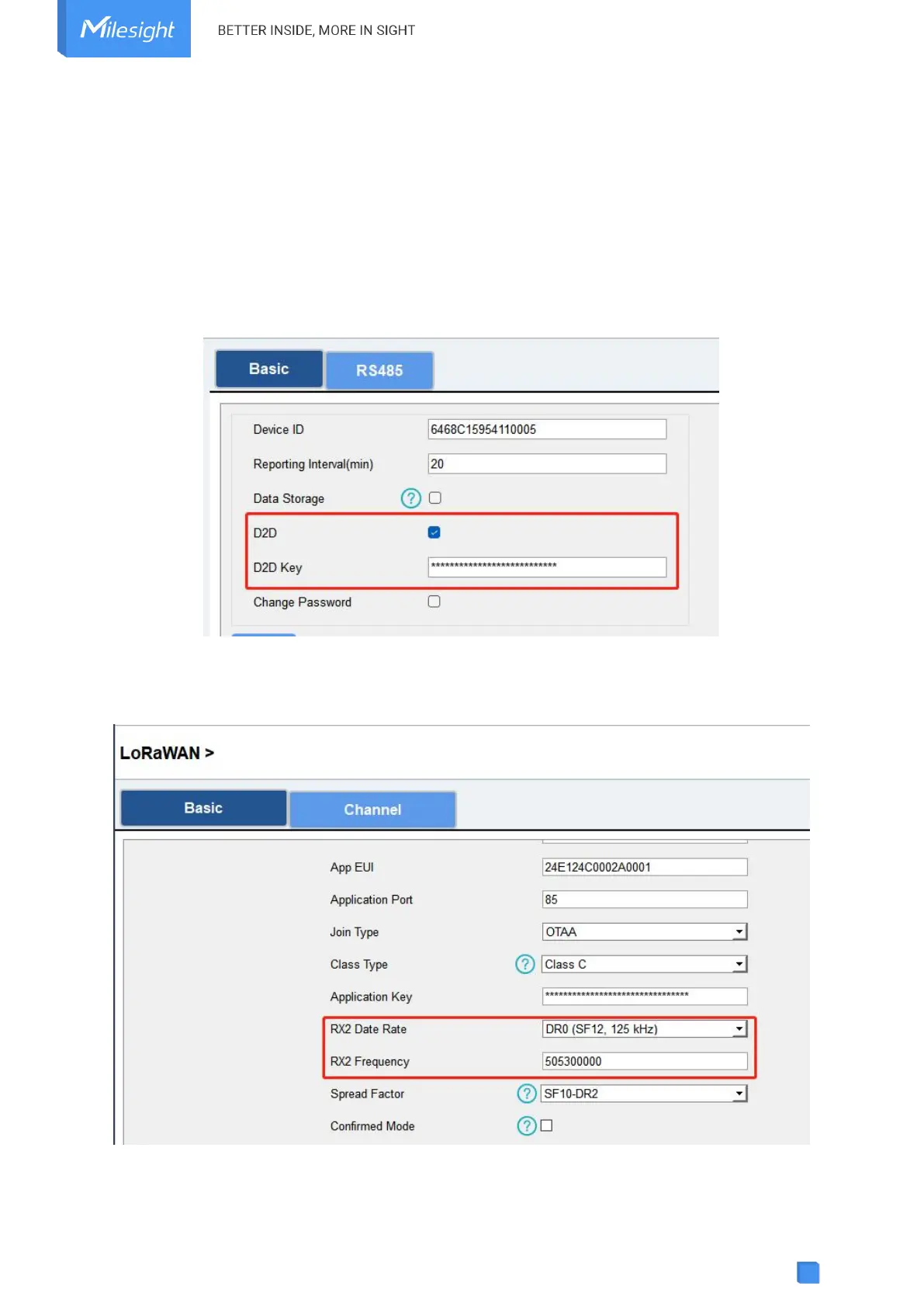
1. Go to General > Basic page, enable Milesight D2D feature and define a unique Milesig
ht D2D key which is the same as Milesight D2D controller or agent devices. (Default Mil
esight D2D Key: 5572404C696E6B4C6F52613230313823)
2. Go to LoRaWAN Settings > Basic to configure the RX2 datarate and RX2 frequency. When
UC100 works as Milesight D2D controller, it will send commands as RX2 settings.



 To Next Page