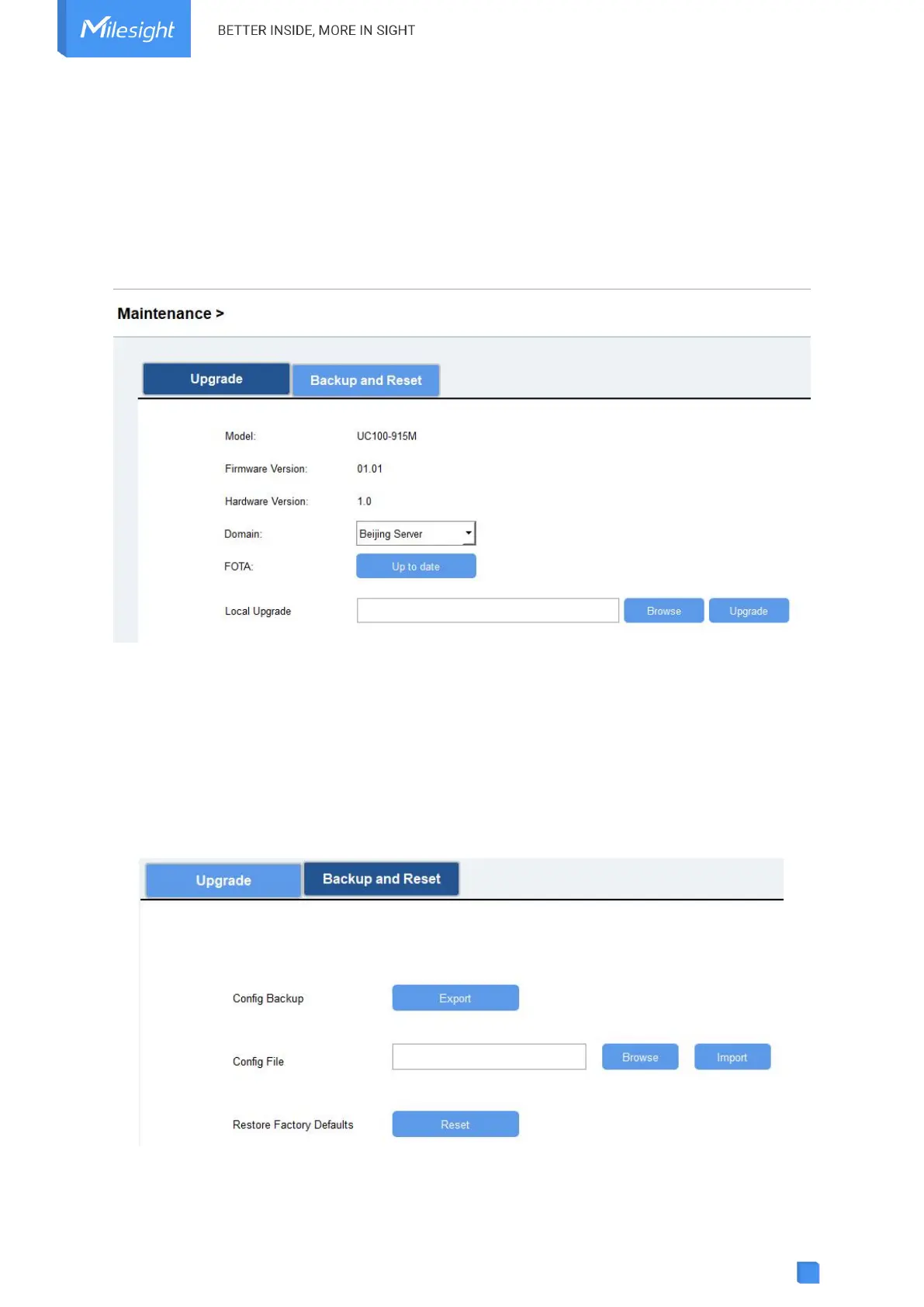
UC100 supports upgrade firmware locally via ToolBox software.
1. Download firmware from Milesight website to your PC.
2. Go to Maintenance > Upgrade, click Browse to import firmware and upgrade the device. You
can also click Up to Date to search for the latest firmware of the device and upgrade.
Note: Any operation on ToolBox is not allowed during upgrading, otherwise the upgrading will be
interrupted, or even the device will break down.
4.9.2 Backup
UC100 devices support configuration backup for easy and quick device configuration in bulk.
Backup is allowed only for devices with the same model and LoRaWAN
®
frequency band.
1. Go to Maintenance > Backup and Reset, and click Export to save the current configuration as
json format backup file.
2. Click Browse to select the backup file, then click Import to import the configurations.



 To Next Page