range, refer to Historical Data Enquiry;
When network is down if no response from LinkCheckReq MAC packets for a period of time,
the device will record the network disconnected time and re-transmit the lost data after
device re-connects the network.
Here are the steps for retransmission:
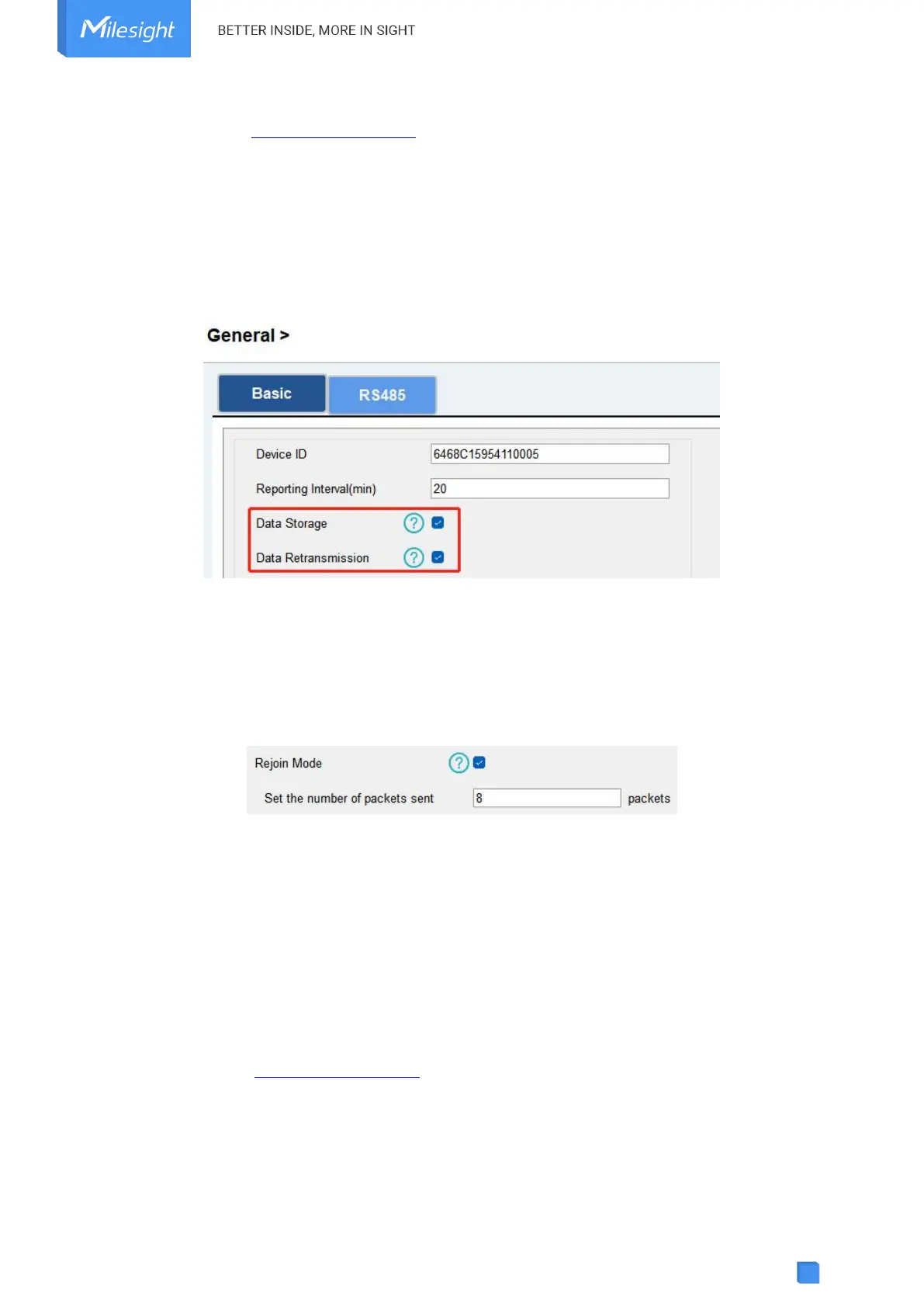
1. Go to General > Basic to enable data storage and data retransmission feature.
2. Go to LoRaWAN Settings > Basic to enable rejoin mode feature and set the number of
packets sent. Take below as example, the device will send LinkCheckReq MAC packets to the
network server regularly to check if the network is disconnected; if there is no response for 8+1
times, the join status will change to de-active and the device will record a data lost time
point(the time to join the network).
3. After the network connected back, the device will send the lost data from the point in time
when the data was lost according to the data re-transmission reporting interval.
Note:
1) If the device is reboot or re-powered during data retransmission, the device will re-send
interrupted retransmission data again after device is reconnected back to the network.
2) If the network is disconnected again during data retransmission, it will only send the latest
disconnection data.
3) UC100 supports to send downlink commands to enquire the historical data for specifying
time range, refer to Historical Data Enquiry.
4.9 Maintenance
4.9.1 Upgrade



 To Next Page