Disable or enable data retransmission.
Enable or disable Milesight D2D Feature.
Set a unique key the same as the setting in Milesight D2D controller or
agent device. The default is 5572404C696E 6B4C6F52613230313823.
Change the password to log in ToolBox.
4.4 RS485 Settings
UC100 supports to set up communications with RS485 via two ways: Modbus channels or
Modbus RS485 bridge LoRaWAN
®
.
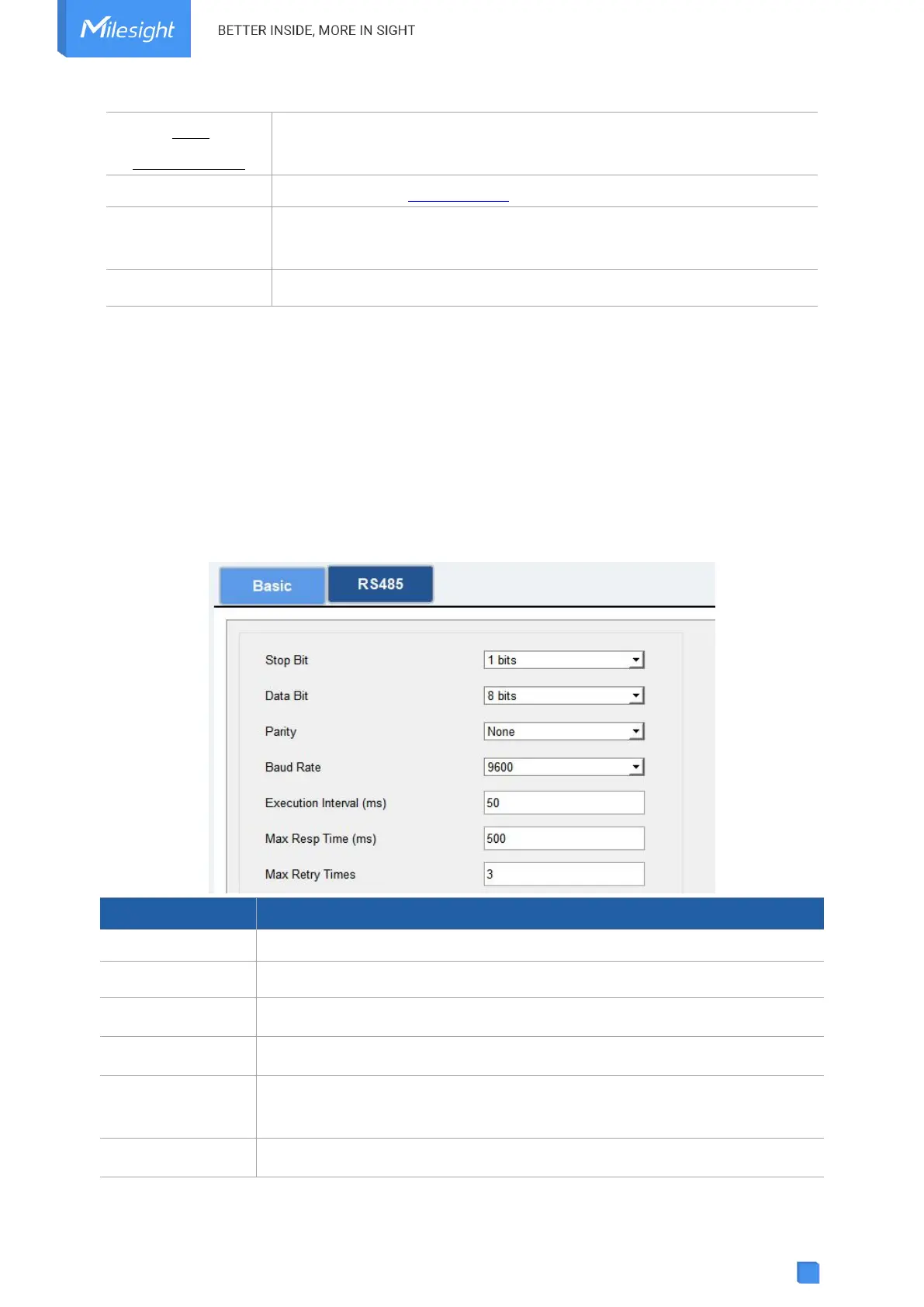
Basic Serial Settings:
UC100 has one RS485 port for Modbus RTU device connection. The basic serial settings should
be the same as RS485 terminal devices.
1 bit/2 bit is available.
None, Odd and Even are available.
1200/2400/4800/9600/19200/38400/57600/115200 are available.
The execution interval between each Modbus channel command.
The maximum response time that the UC100 waits for the reply to the



 To Next Page