command. If it does not get a response after the max response time, it is
determined that the command has timed out.
Set the maximum retry times after the device fails to read data from RS485
terminal devices.
Modbus Channels:
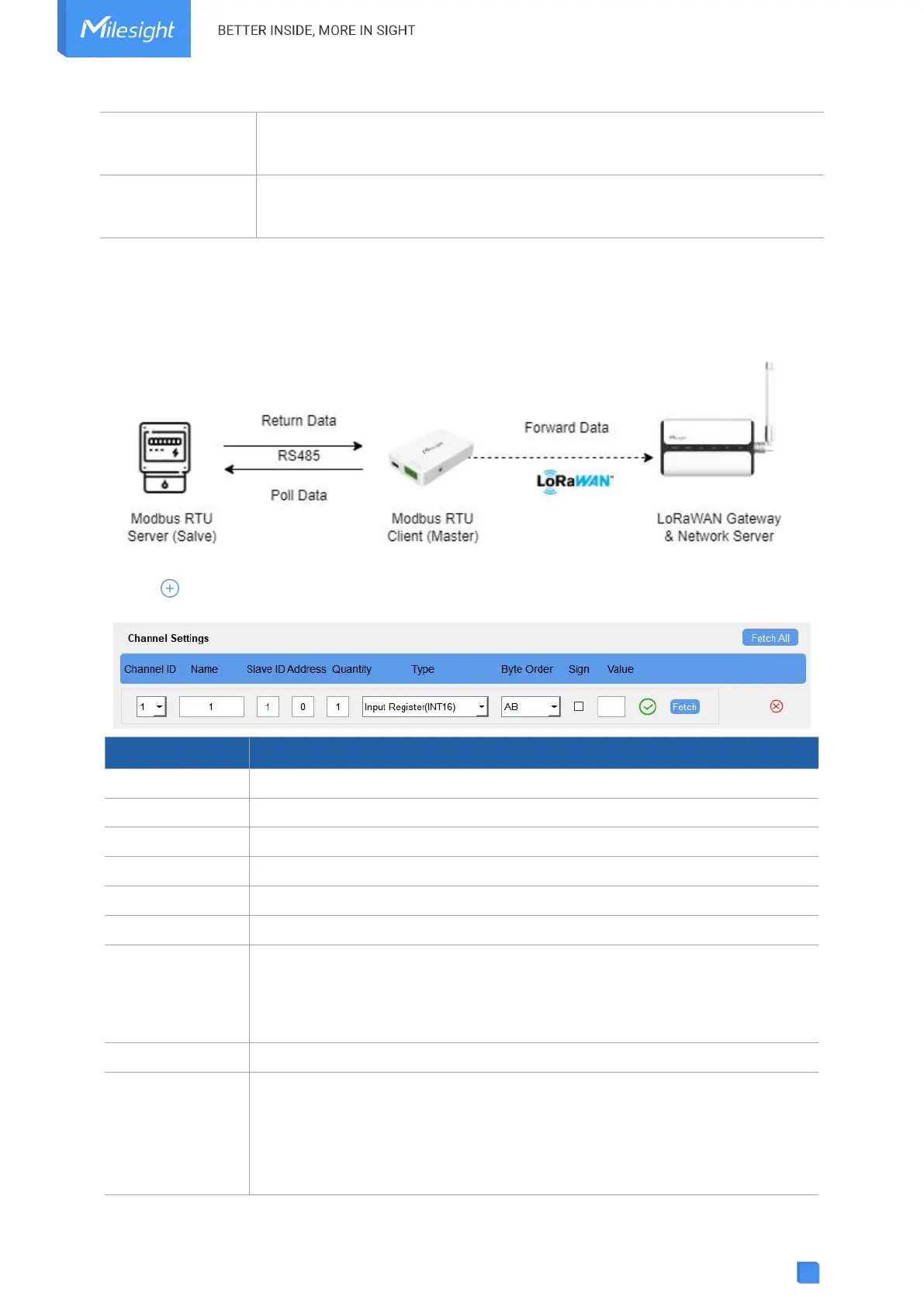
UC100 supports to work as a Modbus RTU Client (Master) to poll the data from the RS485
device and return the data to the network server.
Click to add Modbus channels, then save configurations.
Select the channel ID you want to configure from 32 channels.
Customize the name to identify every Modbus channel.
Set a Modbus slave ID of a terminal device.
The starting address for reading.
Set read how many digits from the starting address, it fixes to 1.
Select the data type of Modbus channels.
Set the Modbus data reading order if you configure the type as Input register
or holding register.
INT32/Float: ABCD, CDBA, BADC, DCBA
INT16: AB, BA
The tick indicates that the value has a plus or minus sign.
Click to send a Modbus read command to test if the RS485 device can reply
with the correct values. Note that do not click frequently to avoid the fetch
failure due to the slow response of RS485 devices.
Example: as this setting, the device will send command: 01 03 00 00 00 01
84 0A



 To Next Page