Modbus RS485 bridge LoRaWAN
®
:
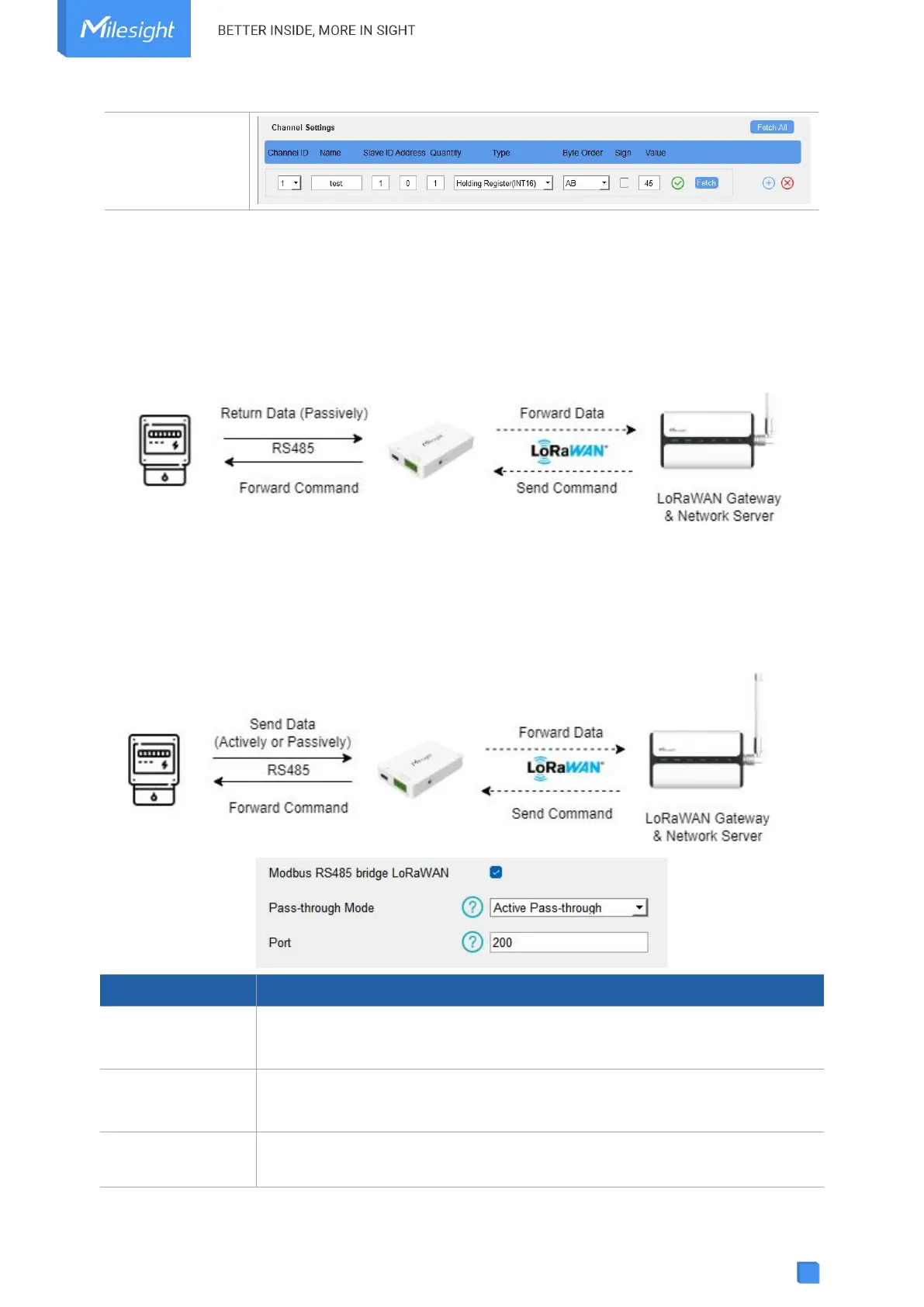
UC100 supports to work as a relay to set up the communication between the server and RS485
devices. There are two pass-through modes:
Active Pass-through: the network server can send any command to the RS485 device and the
RS485 device can only react according to server commands.
Two-way Pass-through: not only can network server send any command to the RS485 device,
but also the RS485 device supports transmitting the data to the network server actively.
Note: When Two-way Pass-through is enabled, Modbus channels can’t be used and the
corresponding IF-THEN command will not work.
Modbus RS485
bridge LoRaWAN
®
Enable or disable the Modbus RS485 bridge LoRaWAN
®
feature.
Select from Active Pass-through or Two-way Pass-through.
The communication port between the RS485 device and the network server.
Range: 2-84, 86-223.



 To Next Page