EasyManua.ls Logo

Millenium Mechatronics MI104 - Page 16

Millenium Mechatronics MI104
22 pages
Print Icon
To Next Page IconTo Next Page
To Previous Page IconTo Previous Page
Loading...
MI104 Weighing Indicator User Manual
- 16 -
Ty 711
Label printer
Lp 50
Label printer
prog
pin
Enter the programming and calibration menus
by using password (Refer section 7
Calibration on password entry).
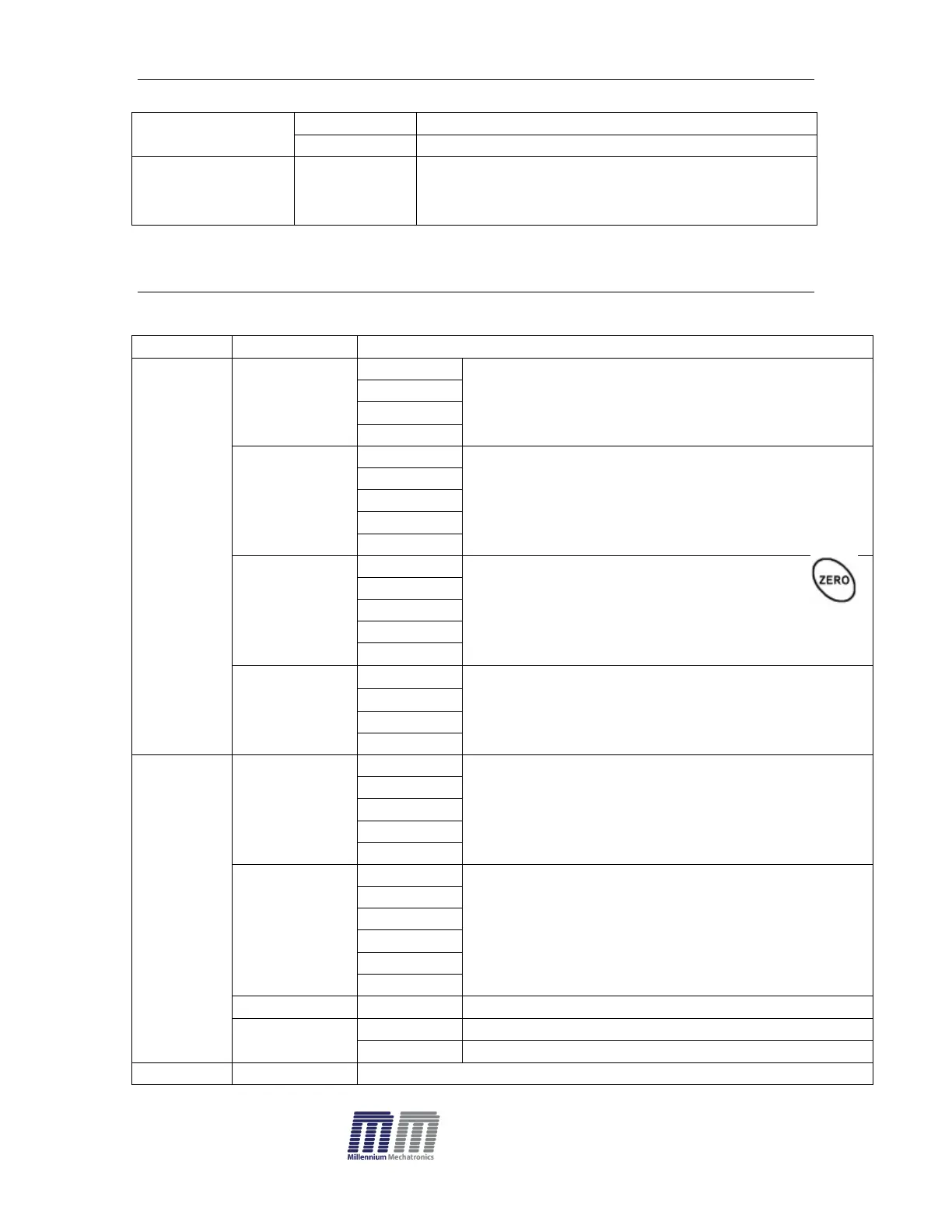
PROGRAM PARAMETERS
Menu
Sub Menu
Description
P1 ref
A2n 0
0.5d
Auto zero point settings
1d
2d
4d
0 auto
P1 0
Zero setting range.
When the display is turn on the scale is set to
zero
P1 2
P1 5
P1 10
P1 20
0 range
P 2 0
Manually zero setting range, by pressing
P 2 2
P 2 5
P 2 10
P 2 20
Speed
S 7.5
S 15
S 30
S 60
P2 cal>
SigRa>
dECi
C 0
Decimal point settings
C 0.0
C 0.00
C 0.000
C0.0000
inC
1
Increment settings
2
5
10
20
50
CAP
00000
Enter the scale capacity
CAL
Linear
Linear calibration
nonlin
Normal calibration
P3 pro
Tri
The display will show XXXXX. For trimming the load cells,