TM-716 Page 7MSW And LMSW Series
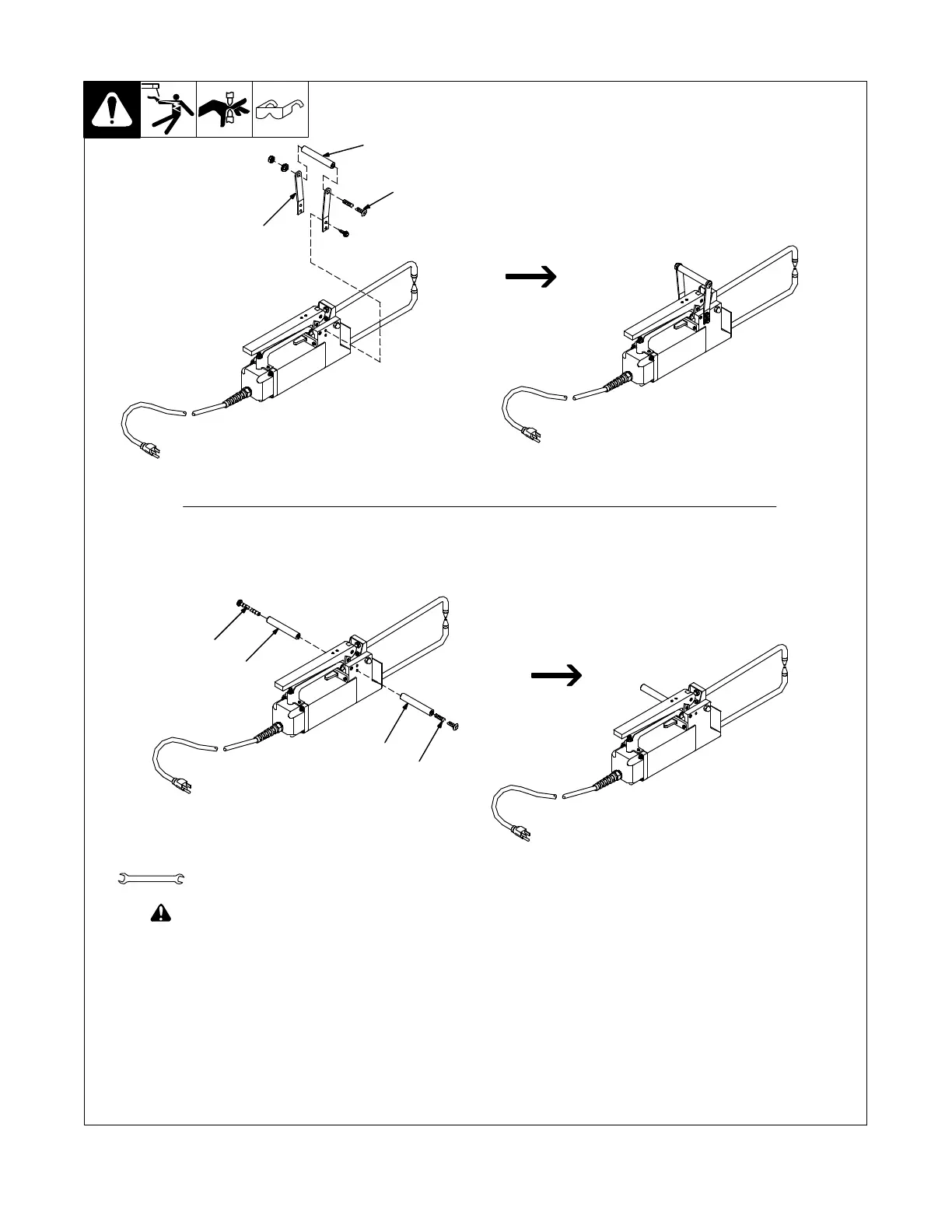
3-4. Installing Handle
! Turn off and unplug welder.
1 Wooden Handle
2 Handle Bolt
3 Brackets (41 And 41T Models Only)
Install handle onto the spot welder as shown
above. For 52, and 52T Models, install han-
dle onto either side as desired for either right-
hand or left-hand use.
Tools Needed:
Ref. 802 056-A
7/16, 3/8 in.
MSW 52, And 52T Models
MSW 41 And 41T Models
2
1
3
1
2
1
2










 To Next Page