EasyManua.ls Logo

Miller MSW-41 - User Manual

Miller MSW-41
32 pages
Print Icon
To Next Page IconTo Next Page
Loading...
Processes
Description
Resistance Spot
Welding
TM-716D 201103
Eff. w/Style Number HD-6
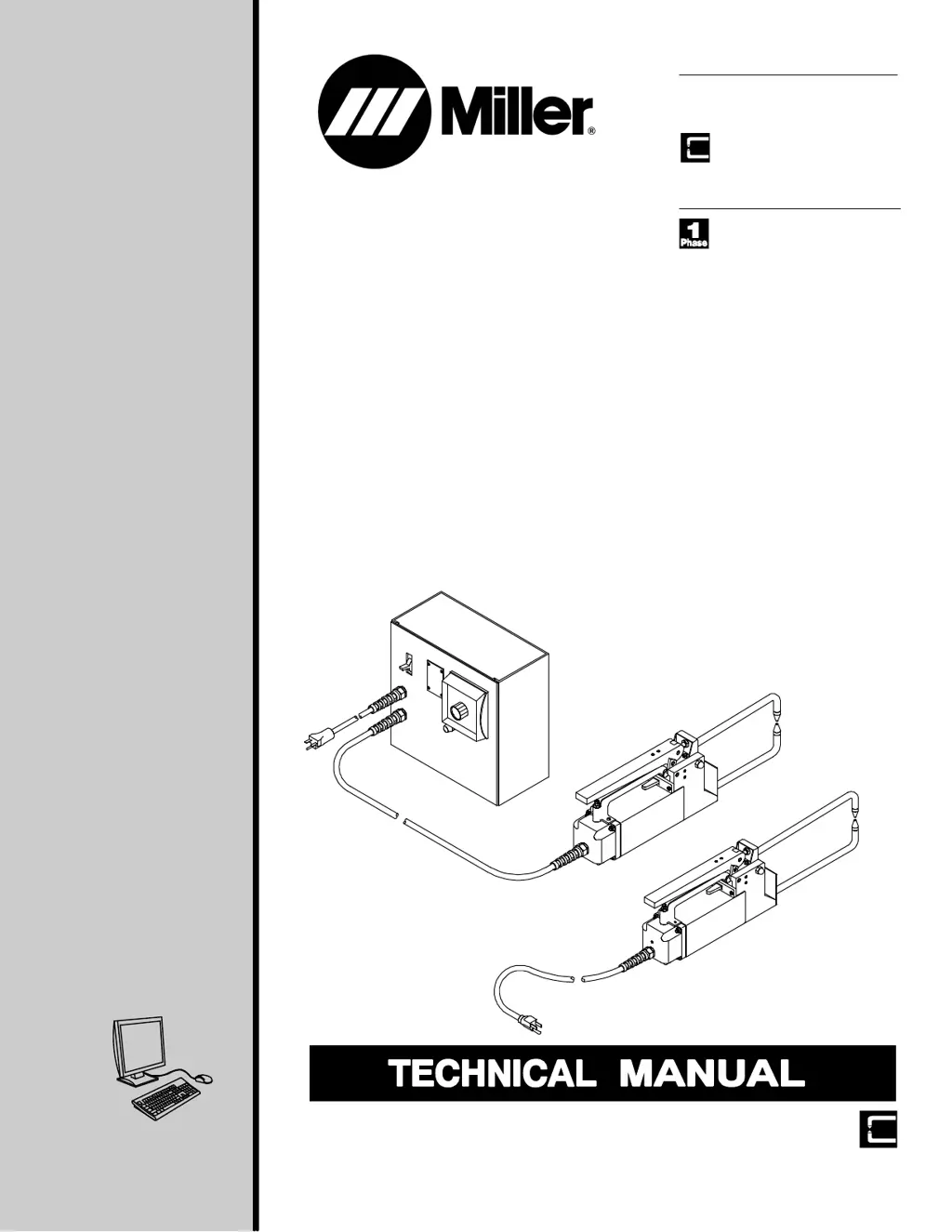
MSW-41, MSW-41T, MSW-42, MSW-42T,
LMSW-52, And LMSW-52T
Portable Resistance Spotwelders
Visit our website at
www.MillerWelds.com
File: Resistance
Spot Welding

Questions and Answers

  • S
    ssmithAug 17, 2025
    How to troubleshoot no weld output on a Miller MSW-41?
    • J
      jamiesimmonsAug 17, 2025
      If your Miller Welding System has no weld output, start by checking and replacing the line fuses or resetting the circuit breaker. If the issue persists, inspect the main transformer T1 and, if applicable, the control transformer T2.
  • E
    Erin BranchAug 20, 2025
    How to fix low weld output on a Miller MSW-41?
    • J
      Jacob LewisAug 20, 2025
      To address low weld output on your Miller Welding System, start by dressing or replacing the tips. Check the tip threads and replace the tips if needed. Remove and clean the tongs, and blow out the tong holders with compressed air after removing the insulator plugs from the front housing. Clean the ends of the tongs and tong holders. Inspect the power switch S1, start switch PB1, and contactor W contacts for pitting and wear, replacing them if necessary. Finally, inspect the tong braid for loose connections, fraying, or overheating, and replace it if needed.
  • M
    Melissa CarpenterAug 22, 2025
    What to do if spatter occurs during welding with a Miller Welding System?
    • A
      Andre TranAug 22, 2025
      If your Miller Welding System is expelling spatter or molten material during welding, it could be due to several factors. Ensure the tips are aligned and flat on the material by dressing them. Reduce tong pressure if it's excessive. If applicable, reduce the amperage setting (though this isn't available on air-cooled models). Also, try reducing the weld time.
  • C
    Craig LoganAug 26, 2025
    Why does my Miller MSW-41 require longer weld times?
    • M
      mfosterAug 26, 2025
      If your Miller Welding System requires a longer than normal weld time, consider the following: dress or replace the tips, clean the workpieces, adjust the tong pressure, and clean the ends of the tongs and tong holders. Also, check the input line voltage and inspect the contactor W contacts for pitting and wear, replacing W if necessary.
  • C
    Christopher ShieldsAug 28, 2025
    How to prevent burn through with a Miller MSW-41 Welding System?
    • T
      Traci KeithAug 28, 2025
      If you're experiencing burn through at the point of weld with your Miller Welding System, try shortening the weld time and adjusting the tong pressure. Additionally, dress or replace the tips and realign them. Ensure there's enough tong pressure; increase it if needed. If the weld time is too long, reduce it.
  • J
    James DavisAug 30, 2025
    Why are the tips arcing on the material with my Miller Welding System?
    • D
      Dr. Charles Mcclure DDSAug 30, 2025
      If the tips are arcing on the material with your Miller Welding System, it could be due to insufficient tong pressure. Increase the tong pressure. Also, ensure the tips are aligned correctly; realign them or dress them to the proper diameter. The base material may be welded to the tips, causing high resistance and poor electrical current flow, so clean or dress the tips.
  • L
    Leslie WatkinsSep 2, 2025
    Why is my Miller Welding System producing poor or no weld at the tips?
    • J
      Jacob TateSep 2, 2025
      A poor weld or no weld at the tips on your Miller Welding System can occur if the material is too thick for the machine. Ensure the material thickness is within the capacity of the spot welding machine. If the tongs are too long, reduce the tong length. Remove any coating from the material to ensure intimate contact between the pieces, including oxides and chemical compounds like galvanized coating.
  • C
    Clayton GonzalezSep 5, 2025
    Why does my Miller MSW-41 Welding System trip the circuit breaker?
    • J
      Jeremy CantuSep 5, 2025
      If the input line circuit breakers or fuses trip repeatedly on your Miller Welding System, it may indicate an internal short-circuit. Inspect the bottom tong clamp insulation for cracks or arc tracks and replace the insulation if necessary. Also, check the main transformer insulation for similar damage and replace if burned or worn.
  • S
    Stephanie BallSep 8, 2025
    What causes an inconsistent weld nugget on a Miller MSW-41?
    • A
      Adam WilliamsSep 8, 2025
      An inconsistent weld nugget on your Miller Welding System can be caused by inconsistent weld time or insufficient tong pressure. If applicable, install a weld timer. Increase the tong pressure.
  • P
    Paul HardinSep 10, 2025
    What causes a hole in the middle of a weld with a Miller MSW-41?
    • J
      John ChavezSep 10, 2025
      If you're getting a hole in the middle of the weld with your Miller Welding System, the contact area of the tips might be too large. Change to a smaller tip diameter or dress the tips back to their original diameter.

Summary

Safety Precautions

General Servicing Hazards

Details critical safety risks during unit servicing, including electrical, mechanical, thermal, and environmental hazards.

Introduction

Specifications

Details technical specifications for various models, including voltage, capacity, dimensions, and weight.

Installation Procedures

Installing Or Dressing Tips

Instructions for installing and maintaining welding tips, including dressing procedures for optimal performance.

Installing Or Cleaning Tongs

Step-by-step guide for installing and cleaning welding tongs, ensuring proper alignment and connection.

Adjusting Tong And Hand Lever Pressure

Procedures for adjusting tong and hand lever pressure for optimal weld quality and to prevent tip damage.

Connecting Input Power (T Models)

Details how to connect the spot welder to the power source, specifying conductor sizes and fuse/breaker requirements.

Connecting Input Power (Non-T Models)

Instructions for connecting input power for non-T models, emphasizing compliance with electrical codes.

Operation Guide

Controls (T Models)

Identifies and explains the function of controls on T models, including timer, hand lever, and start switch.

Troubleshooting Guide

Troubleshooting Table

Provides a comprehensive table listing common troubles and their corresponding remedies for the spot welders.

Maintenance Procedures

Electrical Diagrams

Parts List

Miller MSW-41 Specifications

General IconGeneral
BrandMiller
ModelMSW-41
CategoryWelding System
LanguageEnglish

Related product manuals