User Manual minCam360compact
®
®minCam GmbH, Bundesstraße 9, 87538 Fischen, Germany info@mincam.de
Version: March 2020, according to the technical state of the art at the time of publication, subject to alterations
2.1.3
Power supply
The
minCam360compact
®
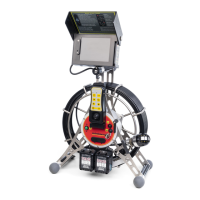
camera system is operated with two Makita batteries.
The batteries can be charged with the included Makita quick charger. The charge
level can be read from the individual batteries. The batteries can be exchanged and
replaced during operation.
2.1.4
Camera head
To control the camera head, move the joystick in the same way as the desired viewing
direction: forward/backward, camera module moves up/down, left/right. The camera
head rotates according to the axis of rotation.
2.1.5
Camera head mode
Besides controlling the camera head using a joystick or position keys, three different
camera head modes can be set at the touch of a button.
0-position/upright picture
left-right
360
◦
Rotation
2.1.6
Focus
The
minCam360compact
®
has an automechanical focus, which switches between near and
far at about 84°. This makes any focus settings superfluous.
In order to obtain the best possible picture quality, it is recommended that for
inspections of Ø > DN200, the camera should be panned to a maximum of 80°.
2.1.7
Light
The light intensity can be adjusted with the keys on the remote control.
Depending on the viewing direction of the camera head, the individual LEDs are
controlled automatically.
An exception is the Container Inspection mode in which all LEDs light up
simultaneously.
The camera head is temperature controlled. At an operating temperature of 64°C
the light is reduced to avoid overheating.


 To Next Page