User Manual minCam360compact
®
®minCam GmbH, Bundesstraße 9, 87538 Fischen, Germany info@mincam.de
Version: March 2020, according to the technical state of the art at the time of publication, subject to alterations.
2.1.8
Locating
After pressing the locating button (> 1 sec) the camera head is switched off and the
message “Detection” is displayed.
If the button is pressed again (< 1 sec) you can switch between the frequencies.
LED flashes 512Hz
LED lights up 33kHz
Table 2.1: Selection of locating frequency
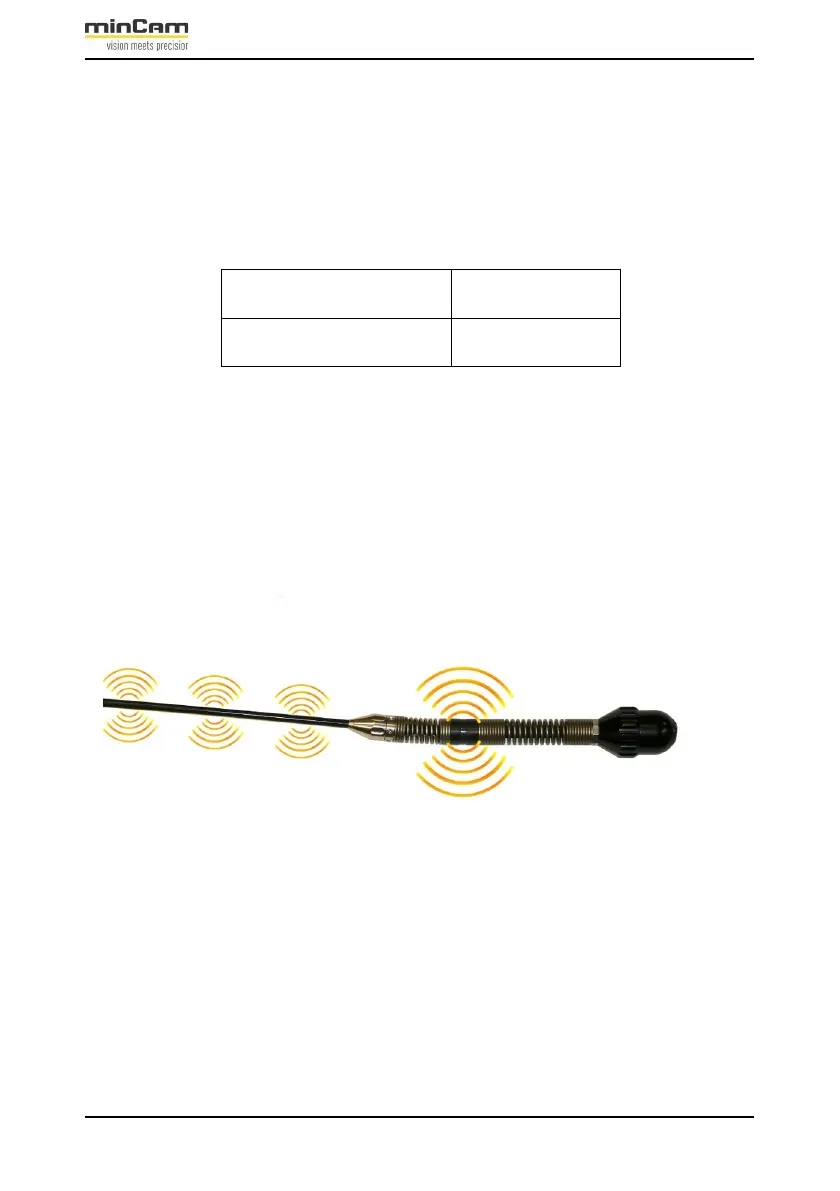
Both the camera head and the push cable can be located. To do this, the locating
receiver must be switched into the corresponding mode. The camera head itself can
be located via pinpoint location, the push rod via pipe location.
Figure 2.6: Both the camera itself and the push rod can be located.
The intensity of the signal depends on the actual distance between the camera and
the tracking receiver and the nature of the material in between.


 To Next Page