User Manual minCam360compact
®
®minCam GmbH, Bundesstraße 9, 87538 Fischen, Germany info@mincam.de
Version: March 2020, according to the technical state of the art at the time of publication, subject to alterations.
MENU
Opening the menu
LEFT
Selection to the left
Selection upwards
Confirmation / Save picture
Back in menu / Pause video recording
LED
Switching live picture / display via storage unit
LOCK No function
2.2.3
Storage unit
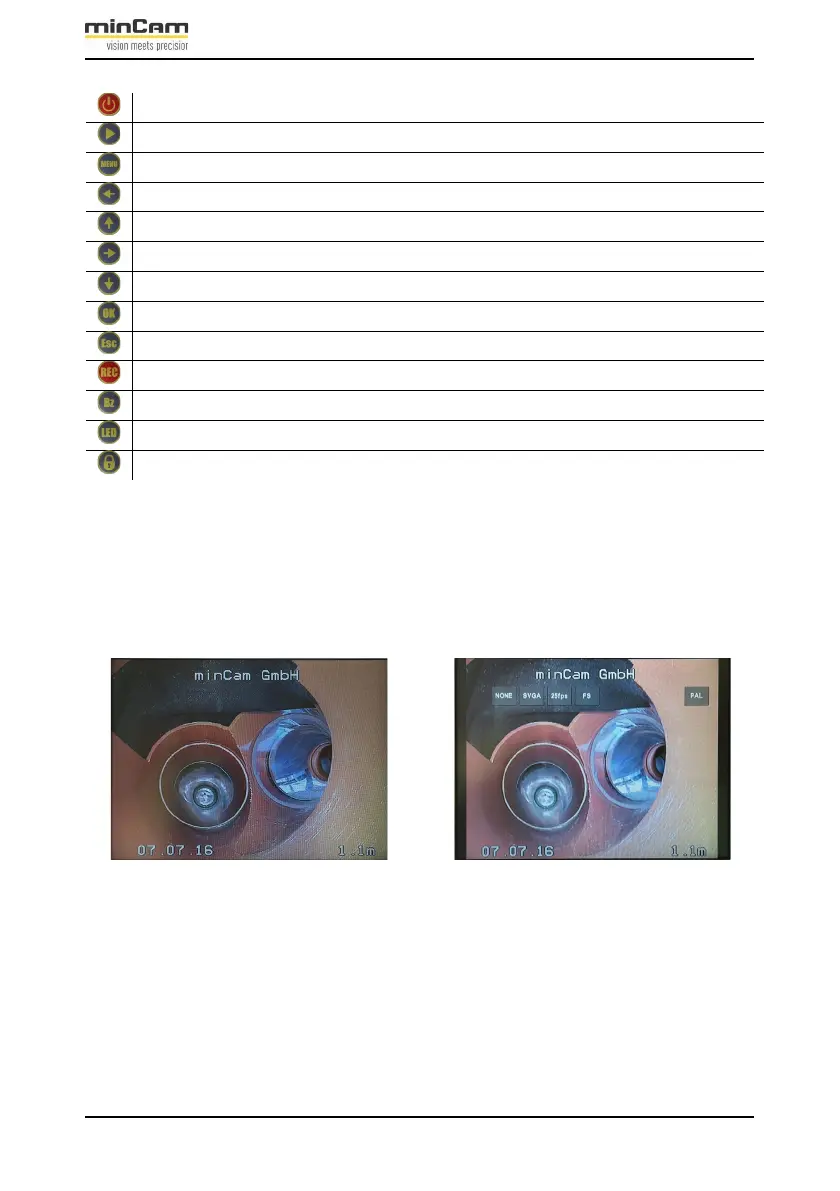
The live picture can be displayed on the monitor directly or via the storage unit.
Switching between these two options is performed by pressing the LED button on
the remote control.
Figure 2.8: Live picture displayed directly on the monitor (left) and via the
storage unit (right)
The recording and saving of videos and damage pictures is possible in both
modes.
Various settings can be adjusted in the storage unit.


 To Next Page