11-4 Setup
Load Factory
Load the factory data of the display brightness and
contrast.
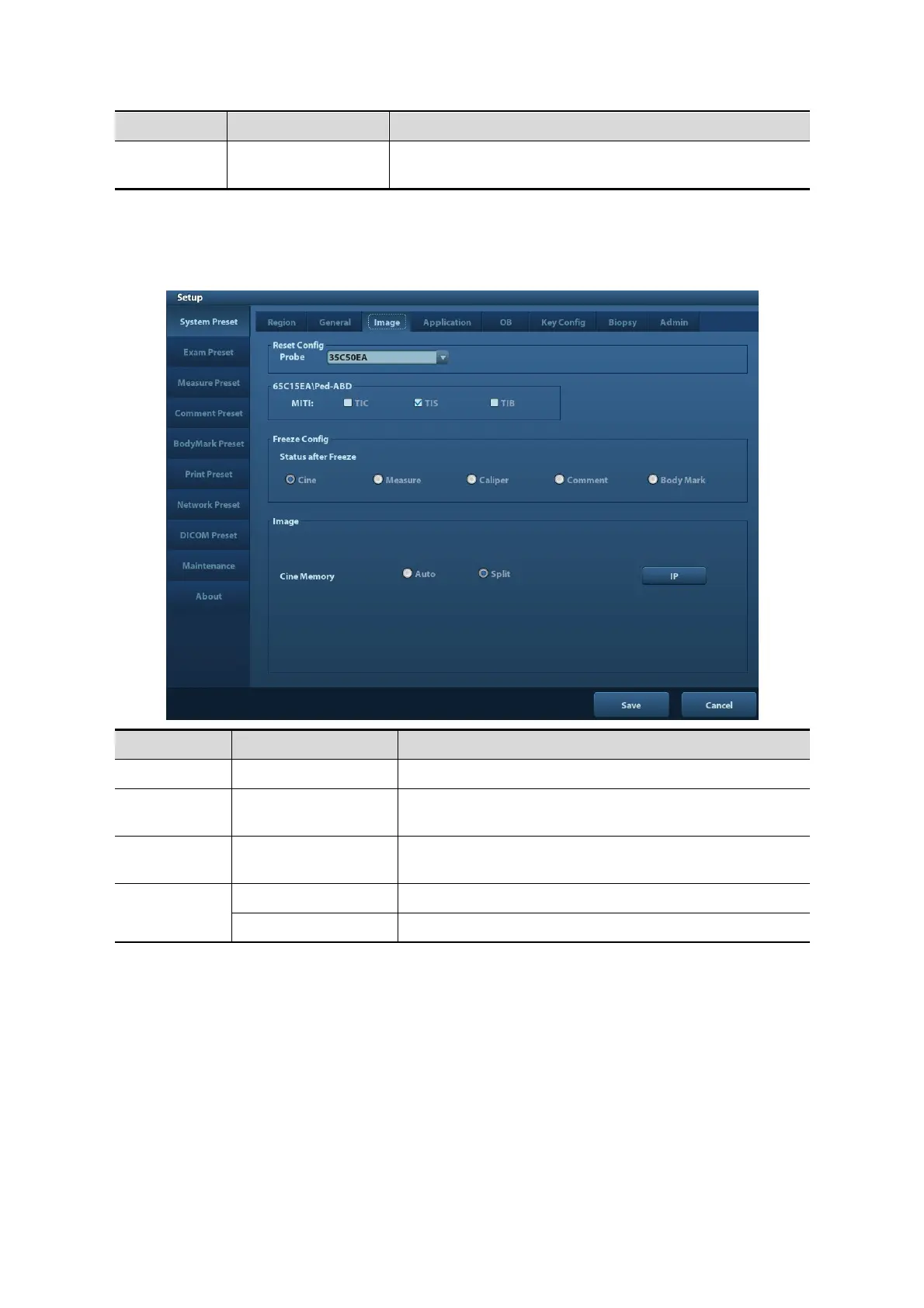
11.1.3 Image
Open the Image Preset page via [Setup]-> [System Preset]-> [Image], as shown in the figure
below.
To set the default probe model for the system.
/ MITI
To set MI TI indexes displayed for current probe/exam
mode.
Freeze
Config
Status after Freeze To set the system status after image is frozen.
Image
To set the cine memory splitting type: Auto, Split.
IP To set the image parameters
11.1.4 Application
Open the Application page via [Setup]-> [System Preset]-> [Application]. Through the page,
you can set the measure ruler, follicle and relevant information. For details, please refer to the
Operator’s Manual [Advanced Volume]
11.1.5 OB
Open the OB page via [Setup]-> [System Preset]-> [OB]. Through the page, you can set the
gestational age formula, fetal growth formula, fetal weight formula and the relevant
information. For details, please refer to the Operator’s Manual [Advanced Volume].



 To Next Page