- 7 -
MINGDA TECHNOLOGY CO.,LTD
www.md-3d.com
axis to be chosen, it will reset XYZ axis in turn.
○
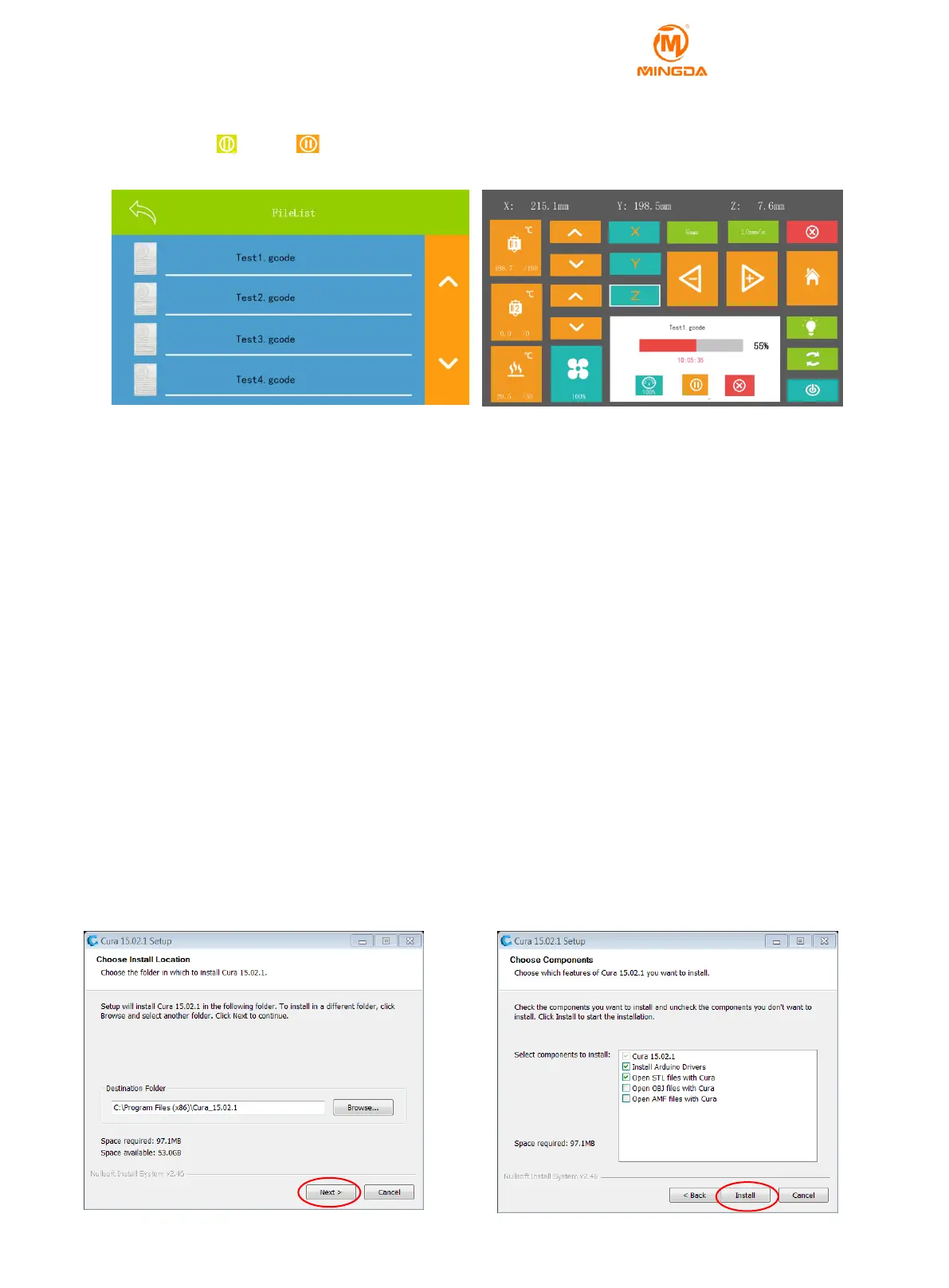
10 SD Card: Click into SD card, select file to print.
You can pause or stop printing at ay time. You can also adjust the temperature of printing head and
bed, fan speed and printing speed rate.
Attention: It may need several seconds to preheat before printing.
○
11 Fan Control: Click on the input speed to control the cooling fan speed.
○
12 Bit screen: Click to close the screen, touch the screen again to open the screen.
○
13 reset the settings of machine
○
14 Shutdown: Click here to shut down
6 Software
Download Slicing Software
MD series 3D printers can support Cura, RepetierHost, Simplify 3D and other slicing software for printing. You
can get the latest installation software in two ways:
1. Install from the included SD card
2. Download directly from MINGDA official website
http://www.md-3d.com/index.php?s=/products/software.html
Install the Printing Software (take Cura as an example) )
1. Double click Cura_XX.XX.exe to install
2. Install the software as follows, all installed by default.



 To Next Page