- 14 -
MINGDA TECHNOLOGY CO.,LTD
www.md-3d.com
Printing Parts
1. Stick the tape to the printing platform.
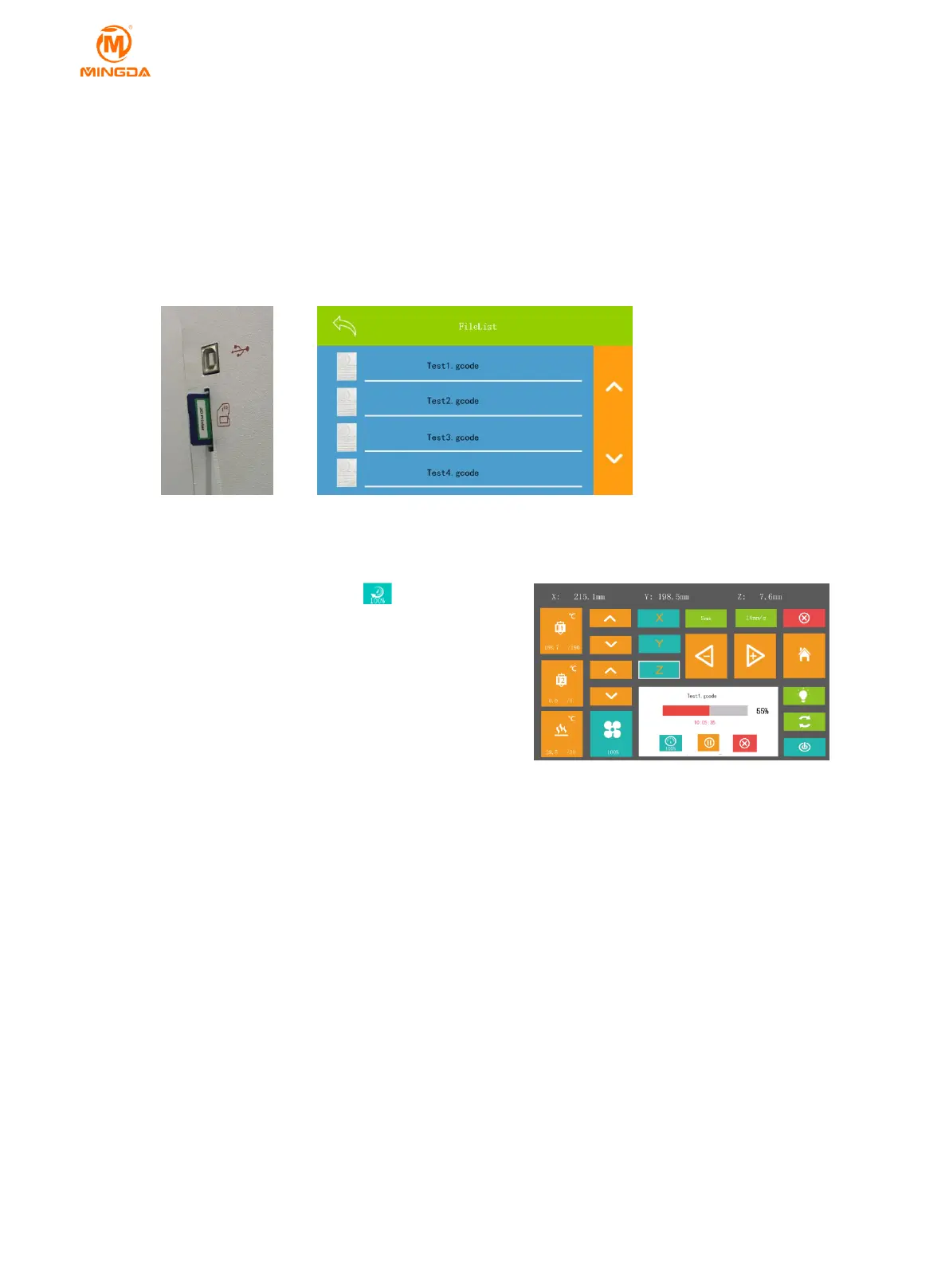
2. Insert the SD card.
3. Reset the Z axis and move the printing head to check the distance between the nozzle and platform.
4.Preheat the head and bed, check whether it feed smoothly.
5. Click "SD" icon on the display panel, enter into SD card content.
6. Choose the Gcode file to print.
7. after finish printing , Remove the printed model with the shovel in the kit.
Pause and Continue to Print
While printing files, you can pause it at any time.
1. When printing, you can click temperature icon to
change temperature .And click icon to change the
printing speed by percent.
2. Press the "pause" on the display panel, the machine
will be suspended to print, press again to continue.
3. When printer pause, you can feed the filament and
change another filament.
4. If press stop icon, the printer will stop printing.
5. The machine will automatically shut down after printing
finished.
Power Outages
If want to cut off the printer power, please click the screen to shut down. You could do it at anytime, it will not
damage the printer. And there is no need to operate any other steps. If you do it when printing, it will not finish the
current printing task.
Note: After shut down the system cooling fan and indicator light will continue to work for a few seconds.
7 General Maintenance
Daily Preventive Maintenance
1. Before printing, reset the Z-axis to check the distance between the nozzle and the platform to prevent the
nozzle from scratching the platform.
2. Before printing, check the smoothness of the guide rails. Regular lubrication can ensure the machine runs
efficiently and stably.
3. Before printing, preheat the nozzle to check feeding. If it is not smooth, clean or replace the print nozzle
assembly.



 To Next Page