- 6 -
MINGDA TECHNOLOGY CO.,LTD
www.md-3d.com
5 Printing Operation
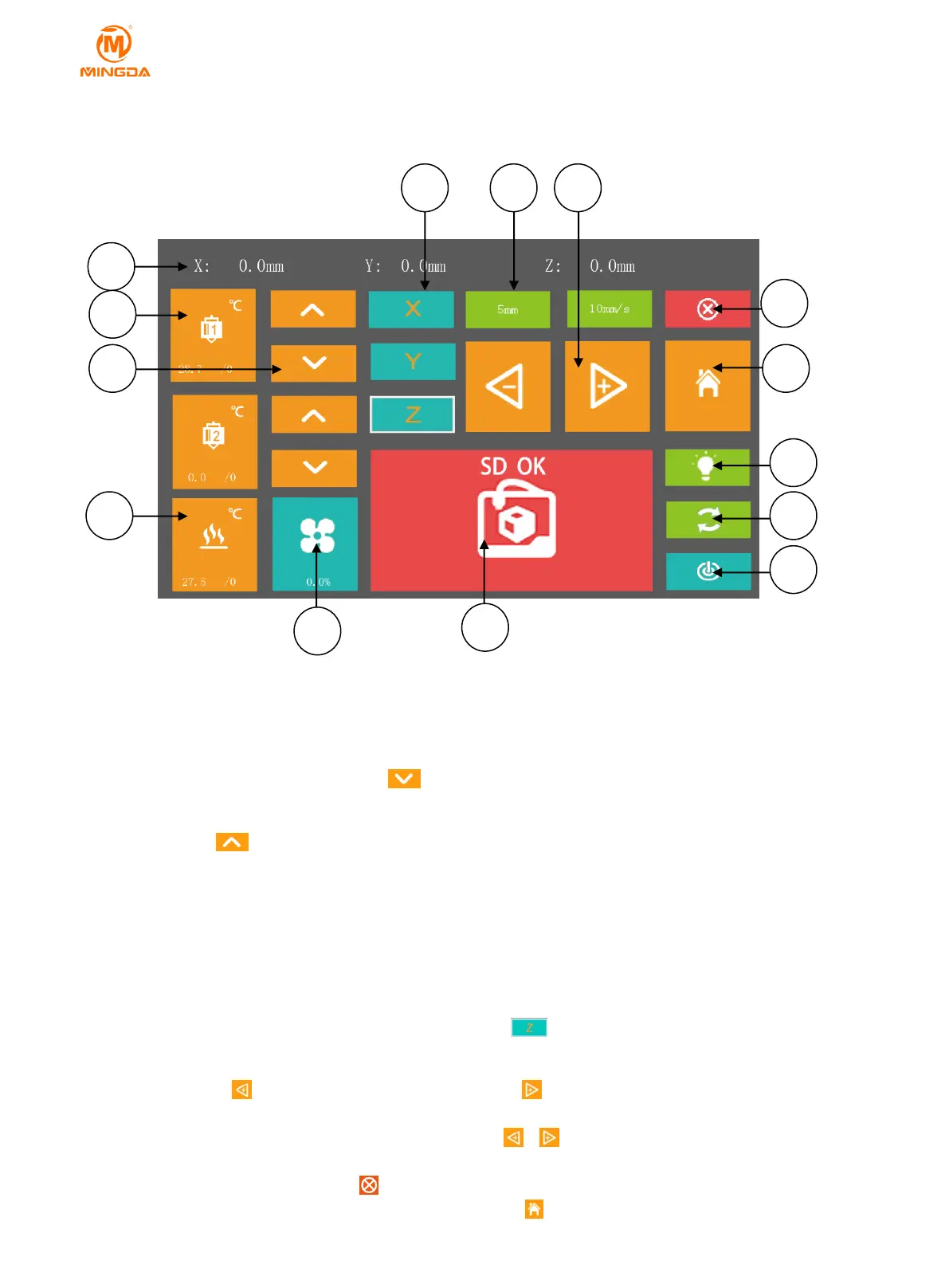
Display Panel
○
1 XYZ axis coordinate values displayed in real time
○
2 Head preheating: press the icon, input a number and click OK, it will begin to heat while the icon turns
red. Click again to cancel heating.
○
3 Extrusion and Retraction: click icon to feed filament, The print head 2 can only be used in a two-color
machine.
Note: The icon it means retraction, If it is used improperly, it will cause the plug. We recommended
customer not to use it.
Material extrusion length and speed: can be adjusted manually.
Length and speed of extrusion: It can be manual adjusted.
○
4 Bed preheating: press the icon, input a number and click OK, it will begin to heat while the icon turns
red. Click again to cancel heating.
○
5 XYZ axis: It will show red border when clicking the icon ,then you can click to move the head or bed.
○
6 Length and speed of moving: moving settings of head, also it can be manual adjusted.
○
7 Moving: Icon means moving towards zero axis, icon means moving outwards from zero axis. Zero
axis is located in upper left corner of front print area.
When moving , choose X、Y or Z axis first, then click icon or to move.
○
8 Unlock the motors: If you click, the motors will be unlocked, then you can push printing head by hand.
You can stop moving by click button at any time.
○
9 Reset: When choosing X、Y or Z axis, you can press icon to reset that axis you choose. If there is not any



 To Next Page