70
PG DRIVES TECHNOLOGY
5
SP1B - P
ROGRAMMING
SK73750/7
PG DRIVES TECHNOLOGY
Enter
SP1
No
Yes
Enter
No
Yes
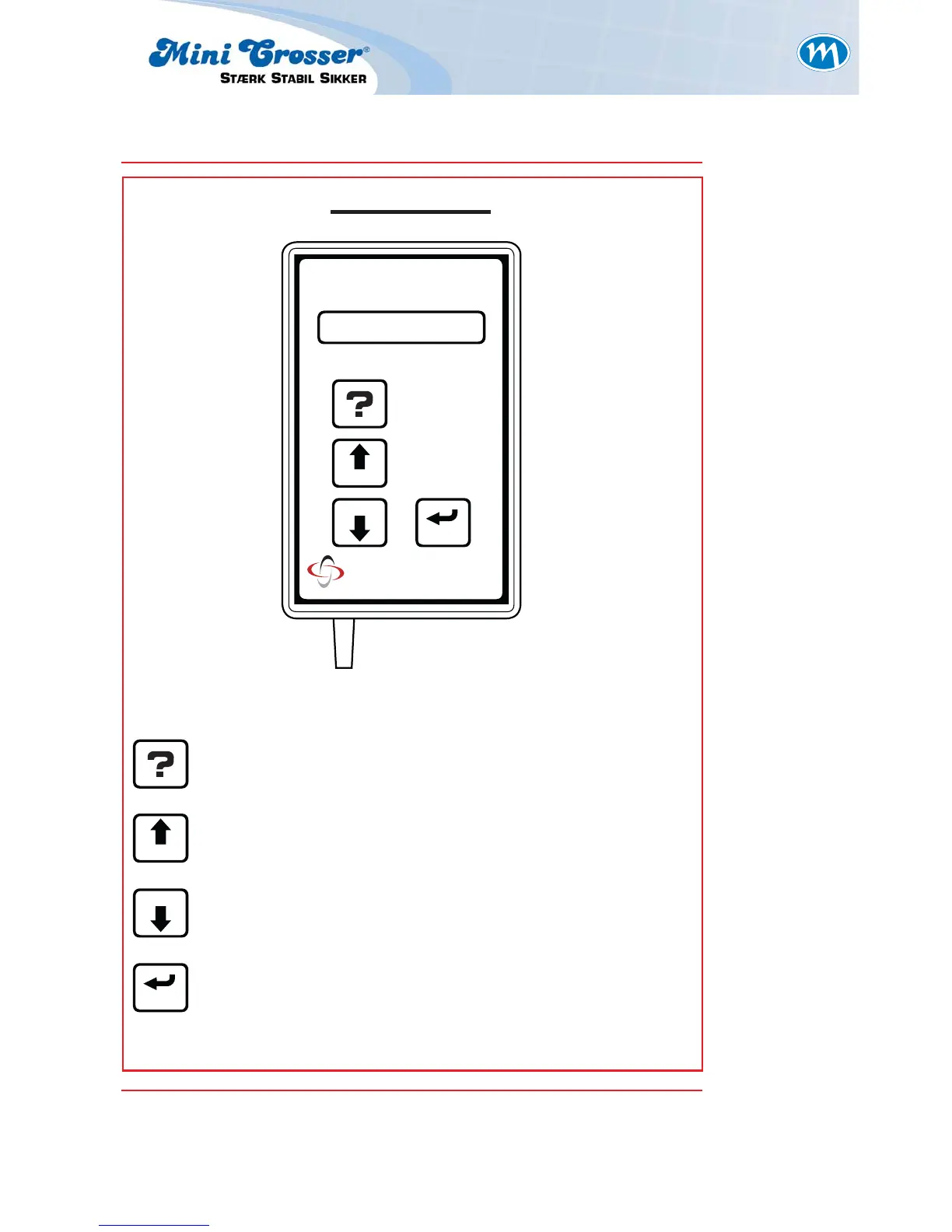
Pressing this button displays information regarding the
function you have selected. In menus, HELP tells you what
each option does. In options, it tells you what to do next.
SP1B KEYPAD LAYOUT
Help Button:
This button steps up through the menu lists, increases the
value of settings and selects functions
Up / Yes Button:
This button steps down through the menu lists, decreases
the value of settings and de-selects functions
Down / No Button:
This button selects options, settings and function states.
Enter Button:


 To Next Page