27
22
22
2 Enter the know values.
1. Open the slide cover, and press [CF].
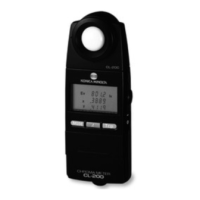
◆ The CHROMA METER enters CF mode.
2. Press [SET].
◆ The display shows the measurement results obtained
at step 1-3 above. If CF values are already set, the
display shows the corrected results.
◆ The value on the Ev line is blinking.
◆ The CHROMA METER is now ready for you to manu-
ally enter the known values.
3. Use [▲] or [▼] to select the parameter (the line) you wish to set.
● The digits on the selected line blink.
● Press [▲] or [▼] as necessary to move the blinking
indication to the line you want to set.
*Note: Setup of CFs for MULTI calibration mode requires use of the
(optional) CL-S1w data management software. (See page
13.)
● You can now enter the correct value (the known value) for the selected line. Note that for
the Ev line you can set both the number of significant digits and the value, while on the x
and y lines you can set only the value. To set the Ev value, proceed from Step 4 below. To
set the x or y value, proceed from Step 9.
Entering the correct Ev value
4. Press [
䊳
/D-OUT].
◆ One or more decimal points begin blinking.
● If a correct Ev value is already set for this parameter, the
value is displayed. The value’s decimal point blinks.
● If the set value does not have a set decimal point, all
three of the line’s decimal points blink.





 To Next Page