English
2.3 Main Menu
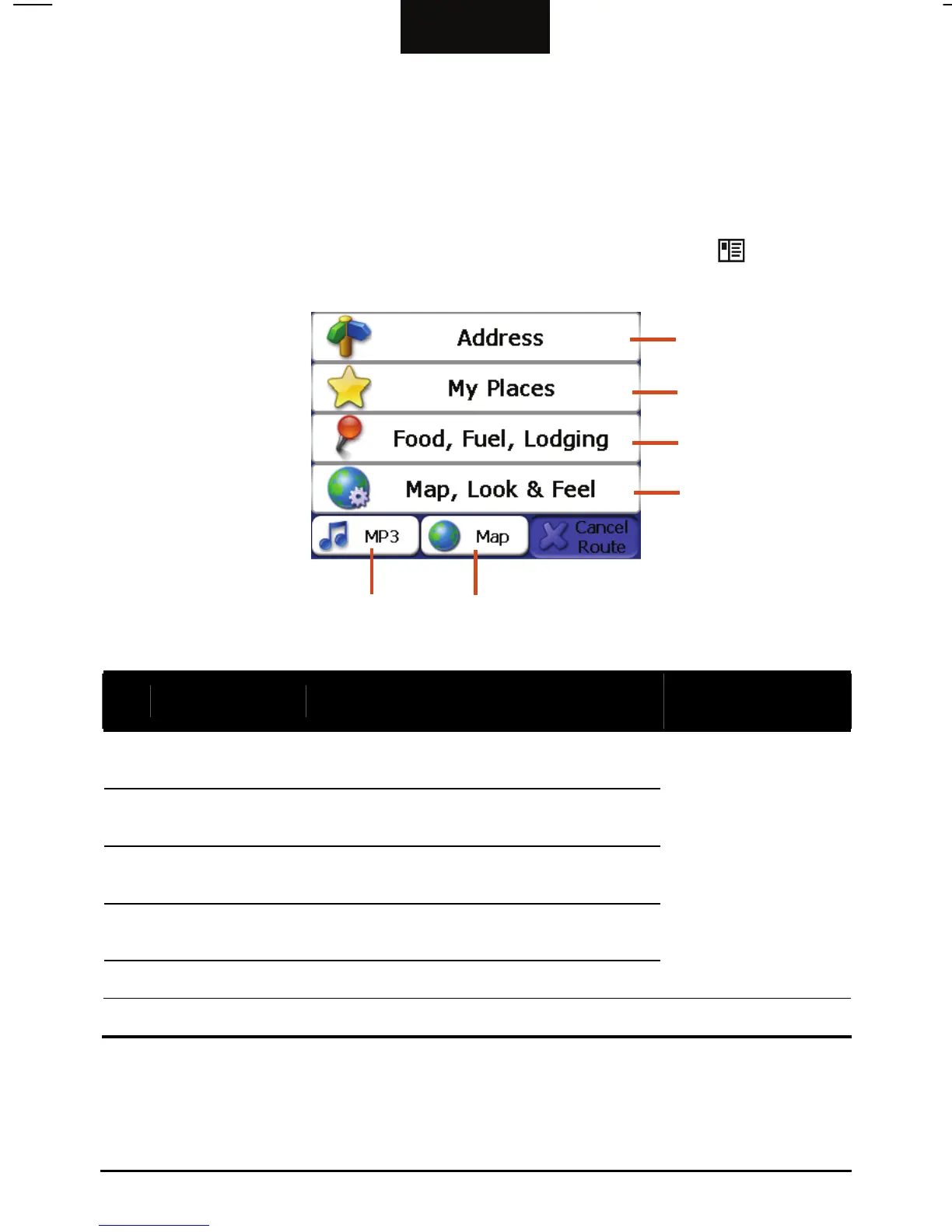
The first time you initialize your device, the Main Menu appears. The Main
Menu is your starting place for various tasks. Tap a button to start a task or open
another menu.
You can access the Main Menu at any time by pressing the Menu (
) button on
your device.
n
o
p
q
s r
Ref Button Name Description
For Detailed
Information
n
Address
Allows you to specify an address as your
destination.
o
My Places
Allows you to use a stored place as your
destination
p
Food, Fuel,
Lodging
Allows you to search a facility from the
device database.
q
Map, Look &
Feel
Allows you to change the map view or
display the route-related information.
r
Map
Displays the map screen.
See the manual
supplied on the Mio
Map DVD.
s
MP3
Allows you to play MP3 music. See Chapter 4.
10



 To Next Page