English
6 Troubleshooting and Maintenance
provi
NOTE: If you encounter a problem you cannot solve, contact an authorized service center for
Troubleshooting and
Maintenance
This chapter gives solutions to common problems you may encounter. It also
des guidelines on taking care of your device.
assistance.
6.1 Resetting Your System
Occasionally, you may need to reset your device. For example, you should reset
your system when it stops responding; or appears to be “frozen” or “locked up.”
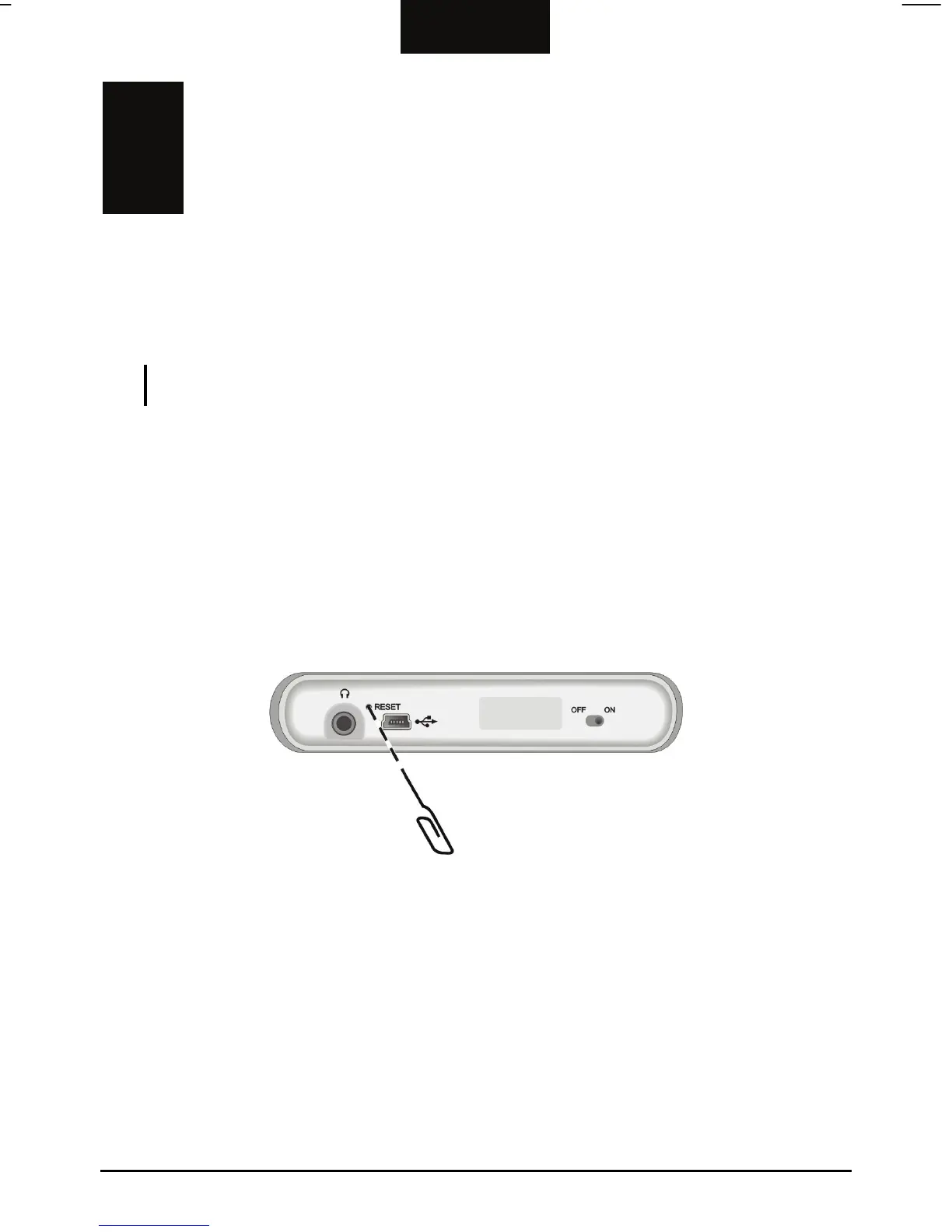
Insert a small rod, such as a straightened paperclip, into the reset button on the
bottom of your de
vice. This is called a “soft reset.” The Main Menu should appear
after a soft reset.
If your device still does not respond after a soft reset,
you can use the following
3. Wait for 1 minute and then slide the switch back to the ON (right) position.
steps to perform a “hard reset.”
1. Disconnect all cables, including the AC adapter, from your device.
2. Use a pointed pen to slide the ON/OFF switch to the OFF (left) position.
35



 To Next Page