English
4. Depending on the version of your operating system, you may be asked to
restart your computer during the installation process.
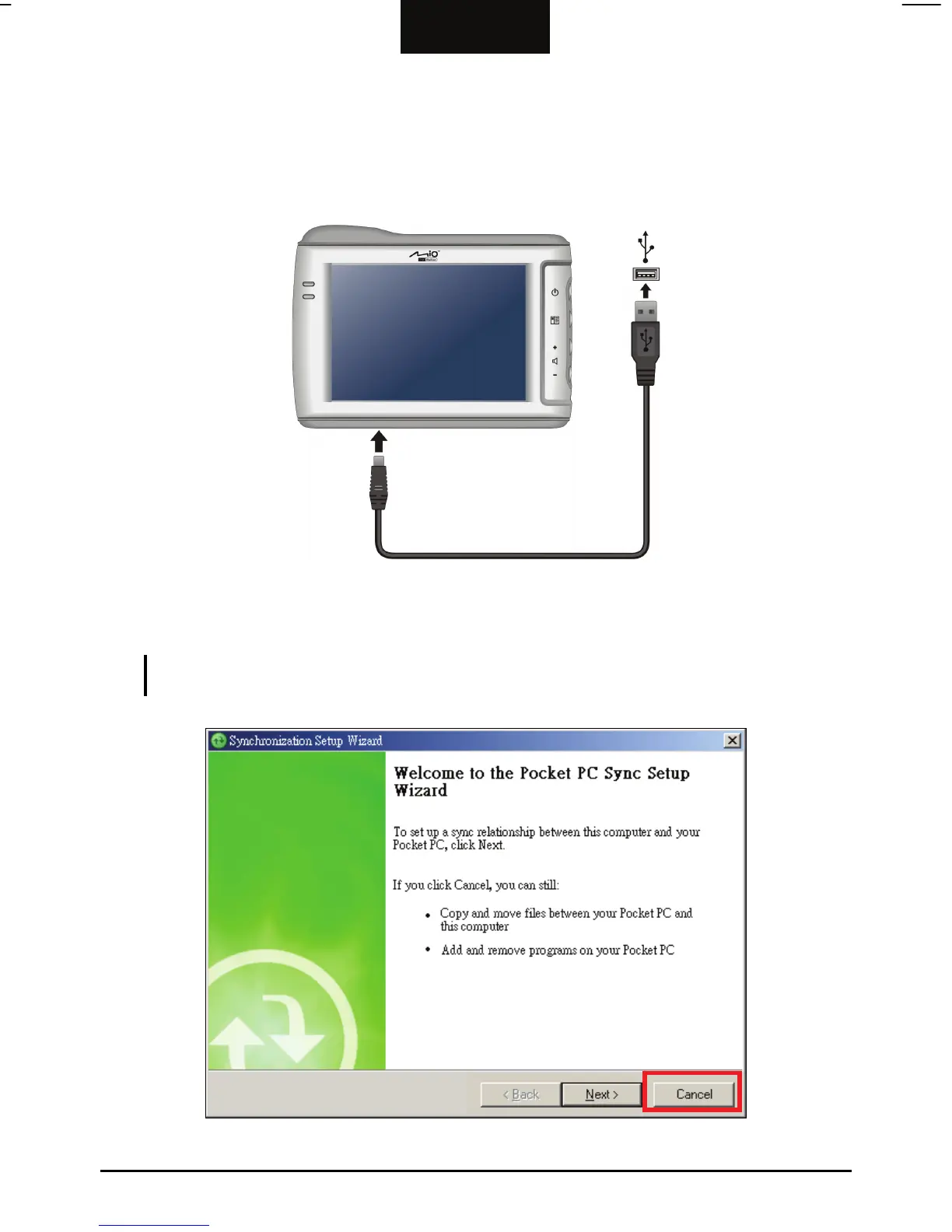
5. When prompted, connect the mini-USB end of the USB cable to the bottom of
your device and the other end to a USB port on your computer.
6. When the Synchronization Setup Wizard screen appears, select Cancel to
connect as a guest device.
NOTE: This device does not support synchronization with your computer. You do not need to
set up a synchronization relationship.
31



 To Next Page